Emerald EMR
Helping doctors write faster notes and reduce burnout.

Emerald v3
Tool
Adobe XD
Duration
6 months
Role
UX Researcher & Designer
Reflecting on the time I worked as a medical assistant using electronic medical records, I could empathize with the challenges that come with using new technologies in the mid-to-late stages of one’s career. For my Springboard capstone project, I set out to envision ways which would make EMRs more user-friendly to improve physician workflow.
Problem
EMRs are packed with many necessary features in complicated interfaces. Harder to use tools creates friction in the workflow of physicians and contributes to burnout.
Outcome
Through interviews, I created affinity maps, user stories, and personas. The project culminated in three usability interviews and three design iterations.
History of EMRs
In 2009, the Obama administration provided $44,000 to physicians and hospitals to implement electronic medical records (EMRs).
Most practitioners opted in, thinking they were receiving “free money,” but in reality, the costs of implementation as well as ongoing learning and maintenance was much more.
Ten years later, many in my personal network were struggled adjusting to them with some leaving practicing altogether or, along with a new generation of medical professionals, find it a necessary hassle in practicing medicine. I researched to understand what remained the issue.
Desk Research
Pervasive issues related to EMRs were:
Time
Also felt by patients, physicians spend almost half their time at work using an EMR.
Burnout
Percentage of EMR use correlates with burnout.
Retirement
Percentage of EMR use correlates with burnout.
In learning about the struggles of everyday physicians, I also learned more about those with accessibility needs.
Rarely include screen readers
Epic, a leading EMR provider, refuses to include screen readers, limiting prevalence of practice for those with vision impairment
Difficulty enrolling in accessibility training
Johns Hopkins Hospital provided accessibility training for EMRs by at least one institution required workers to disclose disabilities to their employers to qualify for the training. Along with other criteria, the training not only limited allies, but also risked preventing those who would benefit from accommodations training personally from pursuing it.
Problem Statement
EMRs take too much time to learn and use. This disadvantages those with disabilities most.
Solution?
Though I completed thorough desk research, I wanted a better understanding of how EMR users experience the product. I reached out to nine medical professionals in my personal network to learn what their stresses were.
Interviews
Most of my interviewees had experience Epic, some used AllScripts (or Sunrise), and one used Cerner. I wanted the full picture about their interactions with their EMR, regardless of their accessibility needs.
Some questions I asked were:
Ease of use:
- How would you describe your training for your EMR?
- How do you feel about the EMR you use most regularly?
- Which EMR would you recommend to a colleague
- What do you use an EMR most for?
- Can you describe the workflow?
- What are more complex tasks you need to perform a task which require an EMR?
- How long does this process take?
Features
- What are essential features for you?
- If you could add a feature, what would it be?
- If you could remove a feature, which would it be?
Disability
- What are your thoughts on the speech to text function?
- What disability functions are you aware of in your EMR?
Research Synthesis
I organized my research notes into affinity maps, user stories, and a persona.
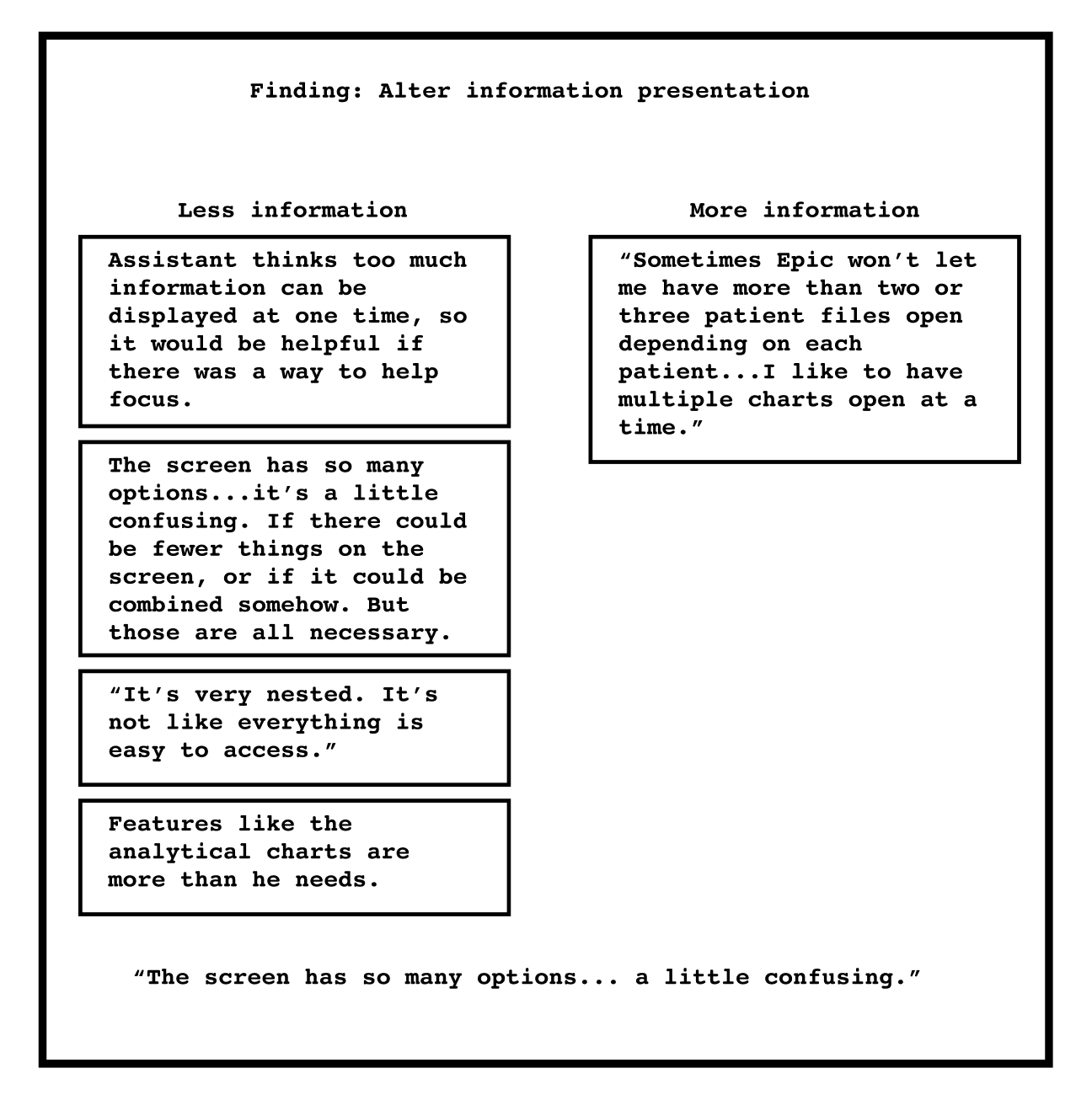
Goal One
The key takeaway from the interviews was the need for less information on screen. Other interviews suggest the same as they described repetitive tasks and a drawn-out process to writing notes.
Goal Three
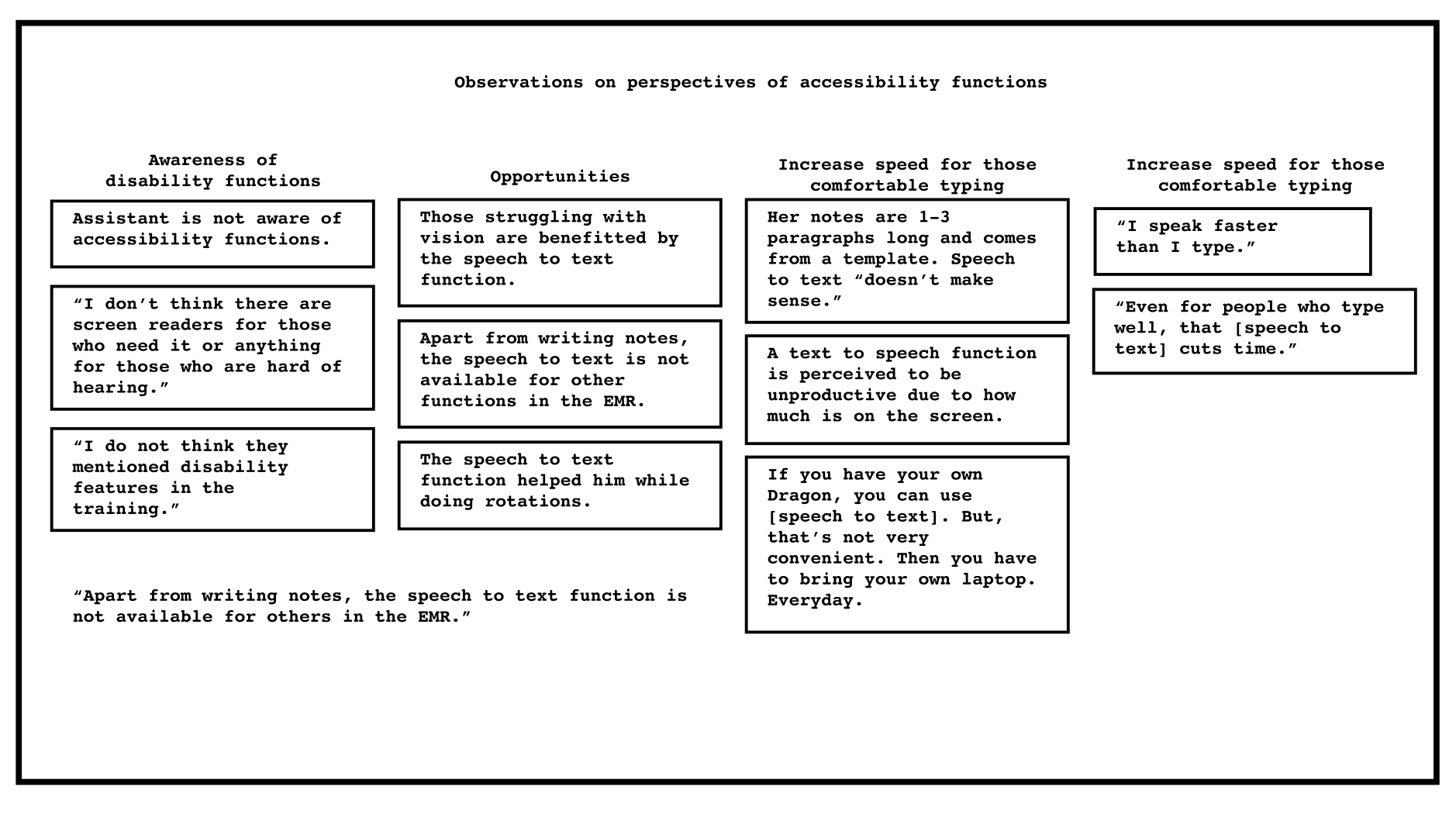
Exploring accessibility
There were various opportunities noted when it came to improving or creating accessibility functions. One of primary interest were adjustments to the speech to text transcription function which is currently a popular (but expensive) add-on.
Pivoting
Ideations for accessibility functions (like voice to text transcription improvements) seemed out of reach. Based on the resources I had, I found it was most feasible to work on general design issues that may benefit everyone.
User Stories
User stories helped identify useful paths to move forward with:
- I would like to search cancer diagnoses by diagnostic codes so I can pull up presets faster.
- I would like to customize presets so I can streamline my workflow.
- I would like to add note templates so I can customize my workflow.
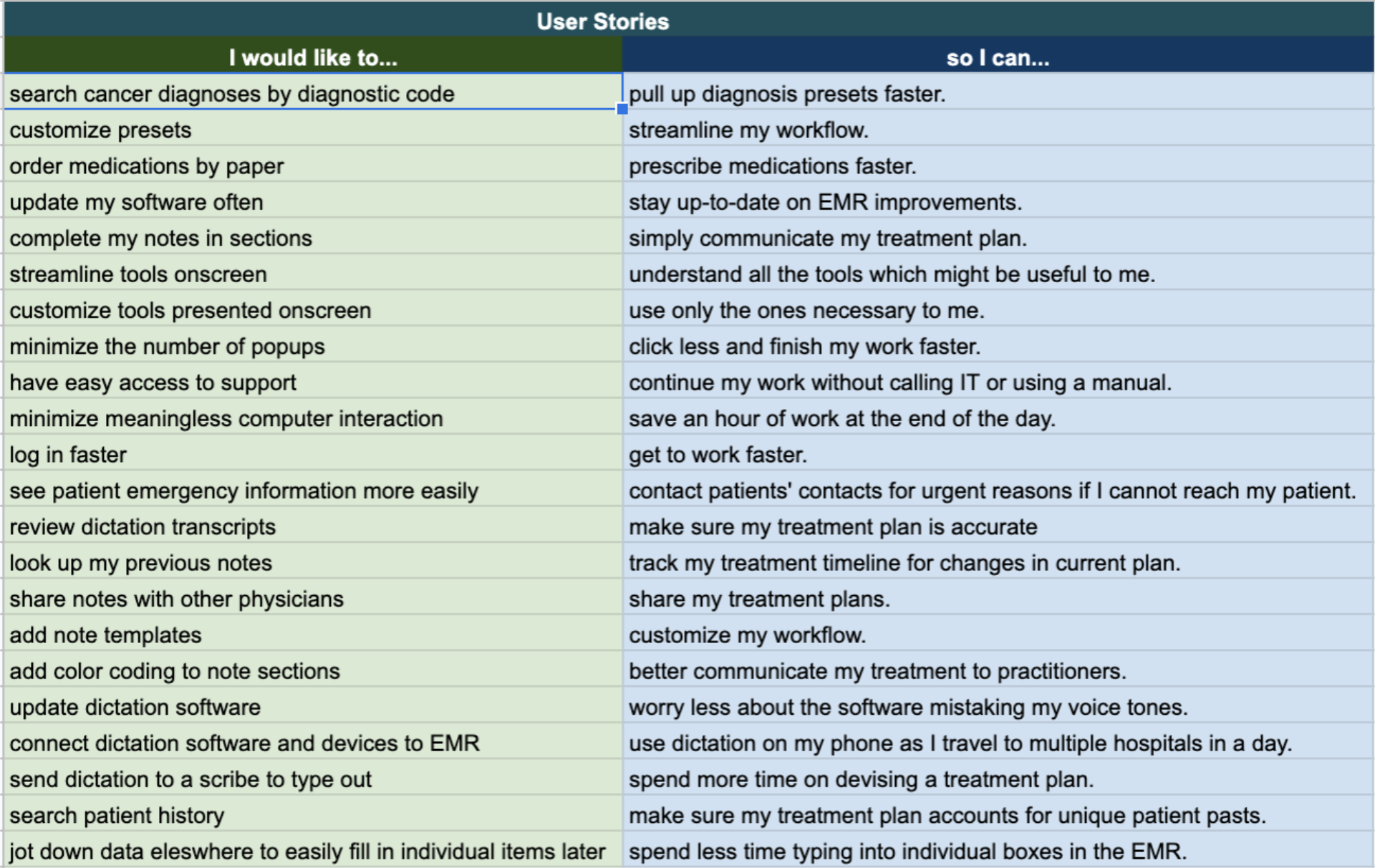
User stories helped with identifying key user flows.
Reflecting on the insights, the design problems in my scope were:
- Notes take too long to write.
- There are too many “clicks” in modern EMRs.
- There are too many features on the screen.
Personas
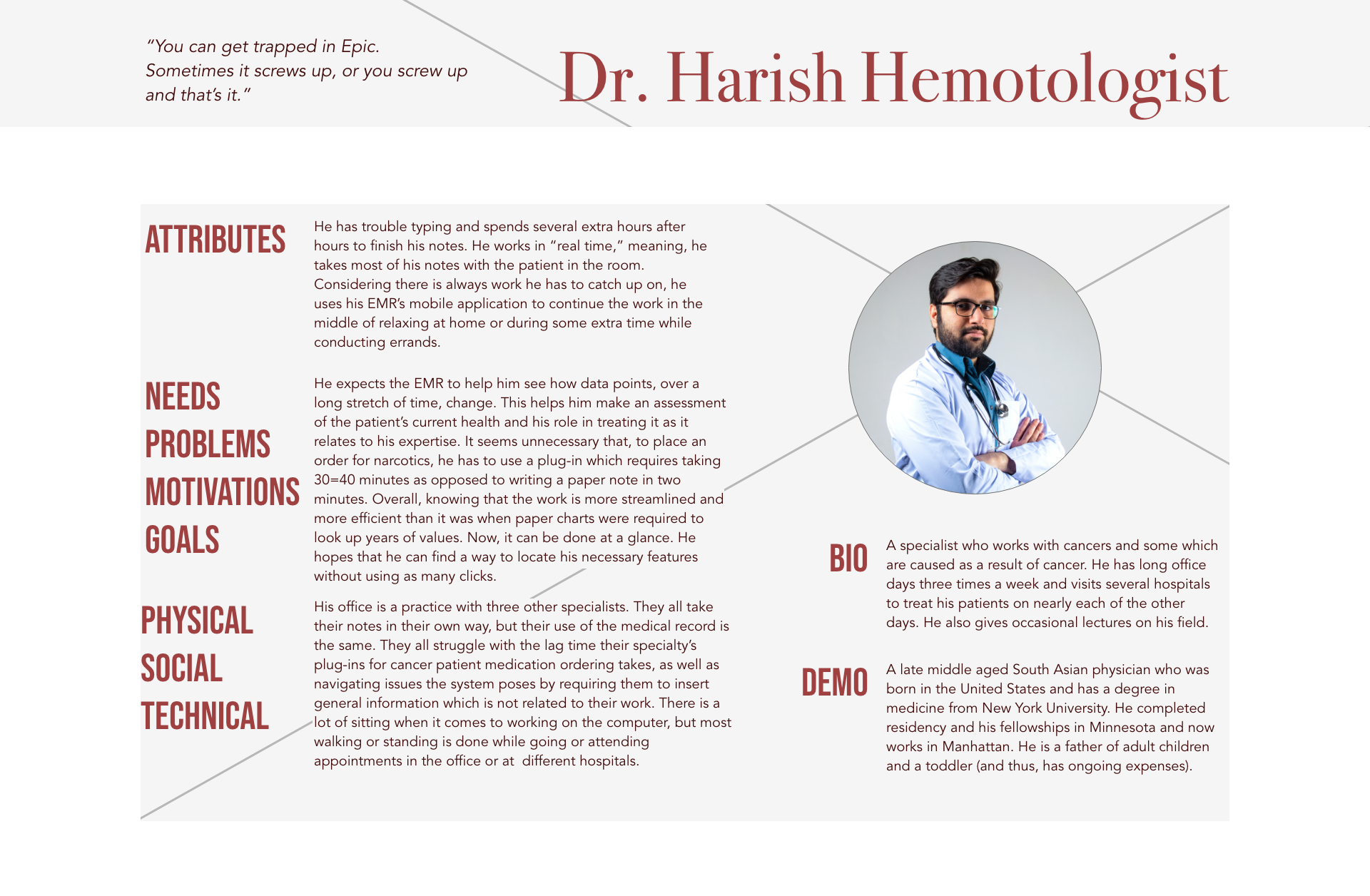
I created four personas to distill the characteristics of the interviewees.

The general sentiment is that it feels like you can never really “win” with an EMR.
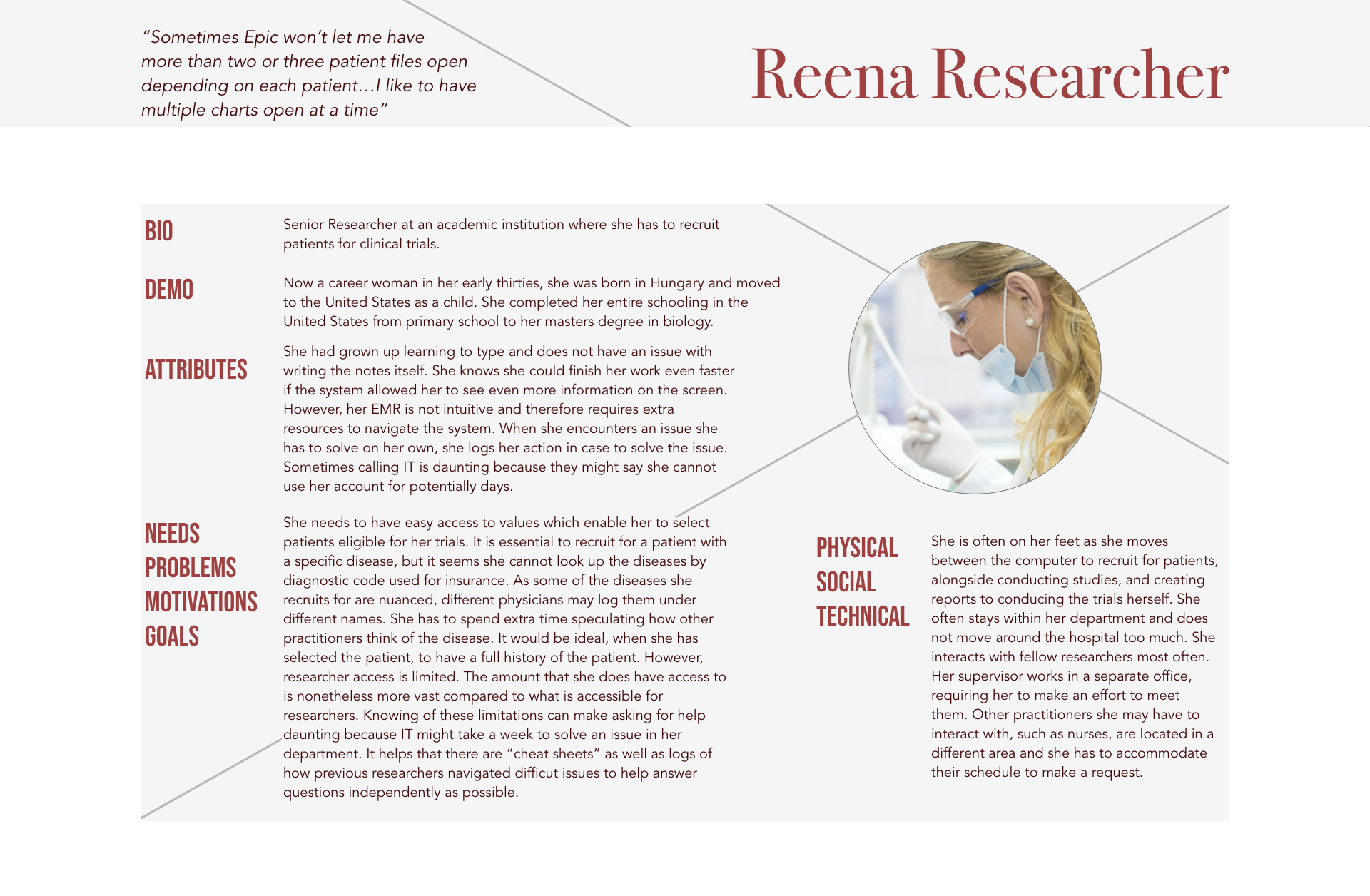
Researchers find that EMRs aren’t made for their role, despite needing to access patient data is a core function of their role.
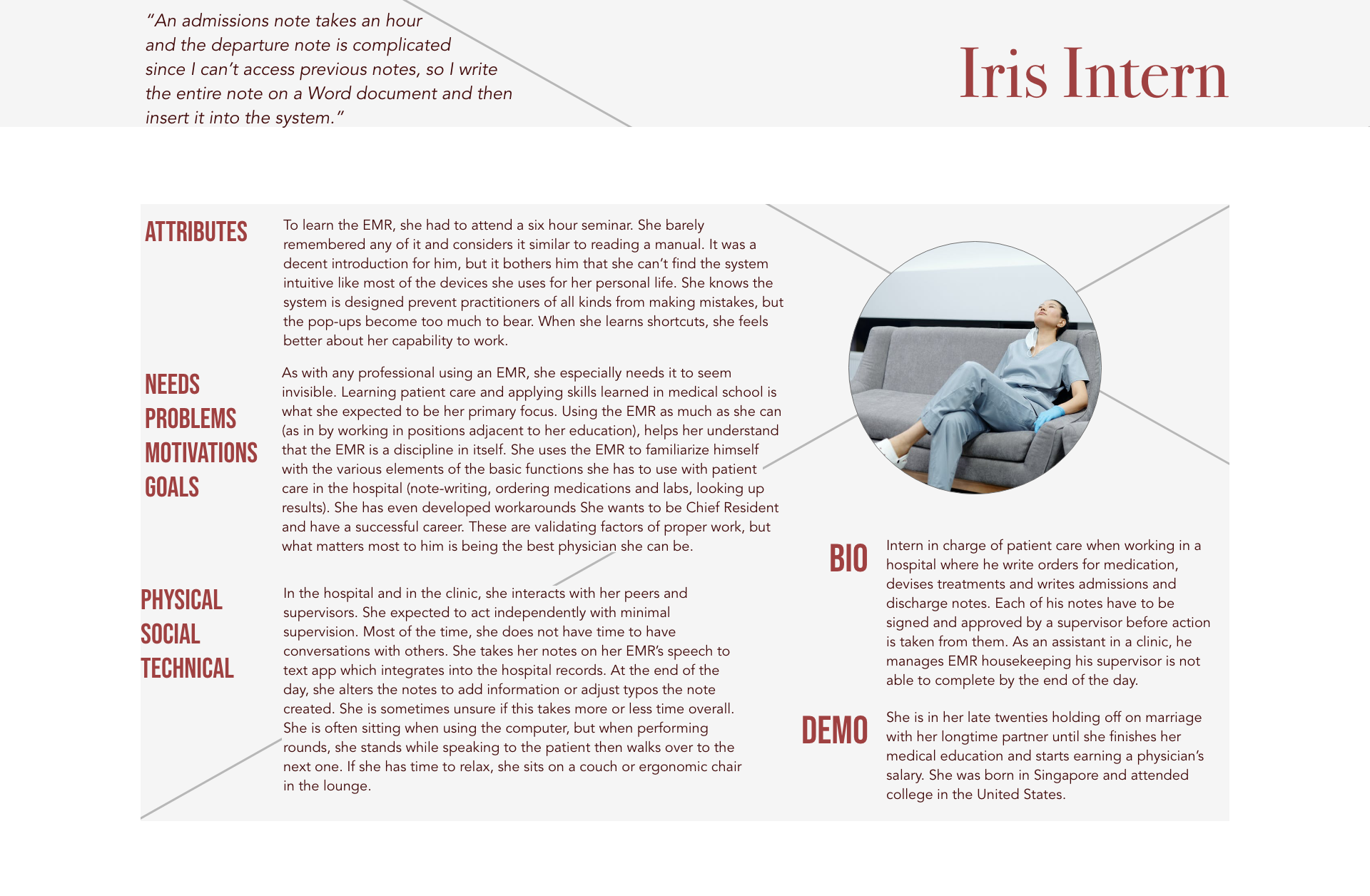
Interns working long hours find it is easier to type notes in external documents to copy into the EMR than writing in the system directly.
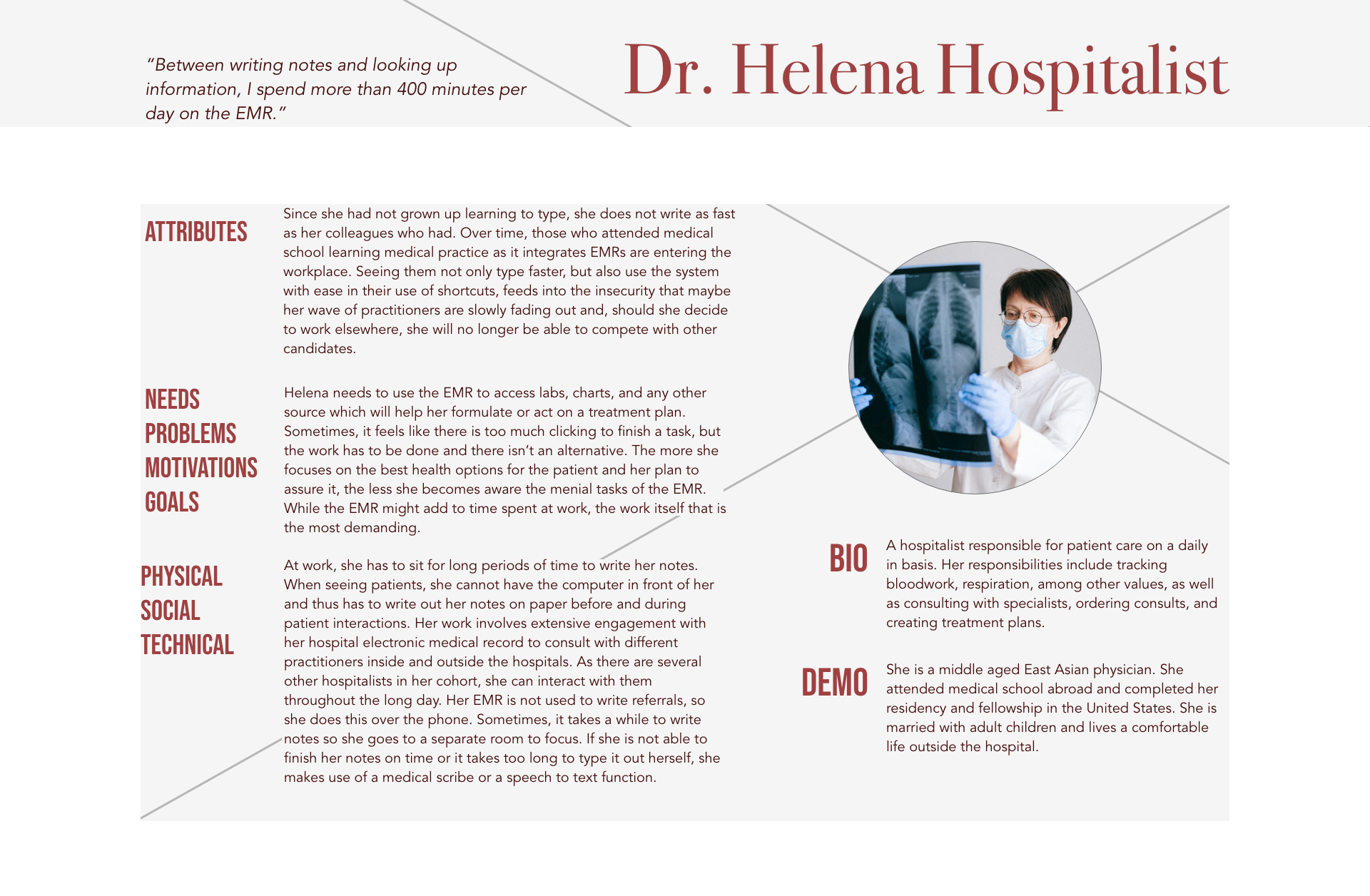
Some hospitalists tracked spending an extra 400 minutes on her work by using an EMR.
I eventually devised a new one centralizing the findings.
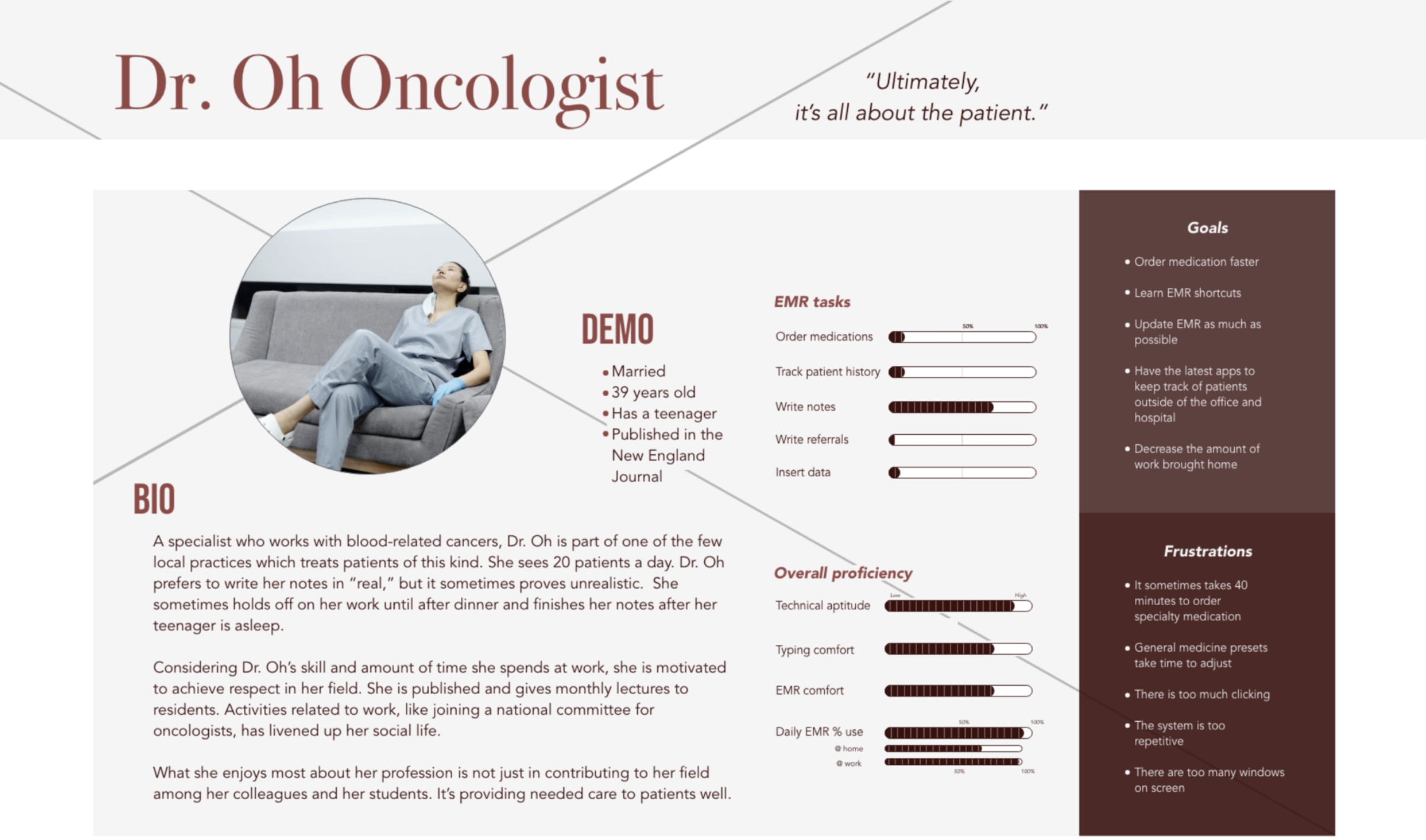
Key Persona: Dr. Oh Oncologist is proficient in modern tech, but spends far too much time on the ancient technology at work.
Dr. Oh’s goals:
- Order medication faster.
- Learn EMR shortcuts.
- Update EMR as much as possible.
- Have the latest apps to keep track of patients outside of the office and hospital.
- Decrease the amount of work brought home.
Dr. Oh’s Frustrations:
- It can take 40 minutes to order specialty medication.
- General medicine presets take time to adjust.
- There is too much clicking.
- The system is too repetitive.
- There are too many windows on screen.
Refined Problem Statement
Common EMRs have too many (sometimes repetitive) features on the screen which affects the speed of writing notes.The best products don’t focus on features. They focus on clarity… The same applies to good case studies.
Solution
Improve the EMR interface to make it simple and straightforward. No more unnecessary, repetitive, or hidden features.
Implementation & Testing
From site maps to user testing, I saw my ideas and features change over several iterations.
Sketch Testing
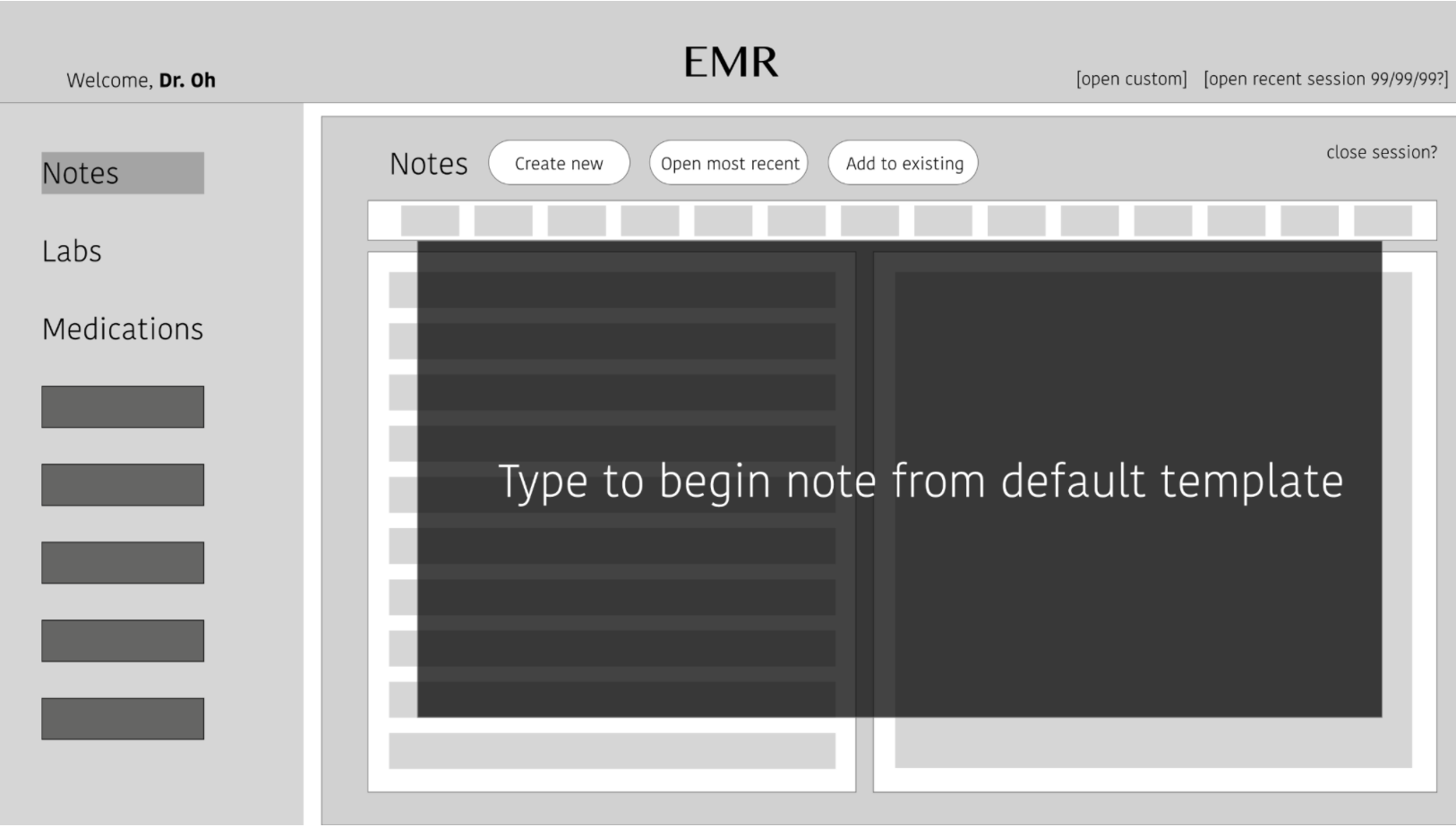
Notes tab and the interface shows a blank note to fill in. This feature is for those times a few ideas need to be jotted or for any impression which may not warrant a formal template to fill out. During my “guerrilla” testing, participants found this a useful idea.
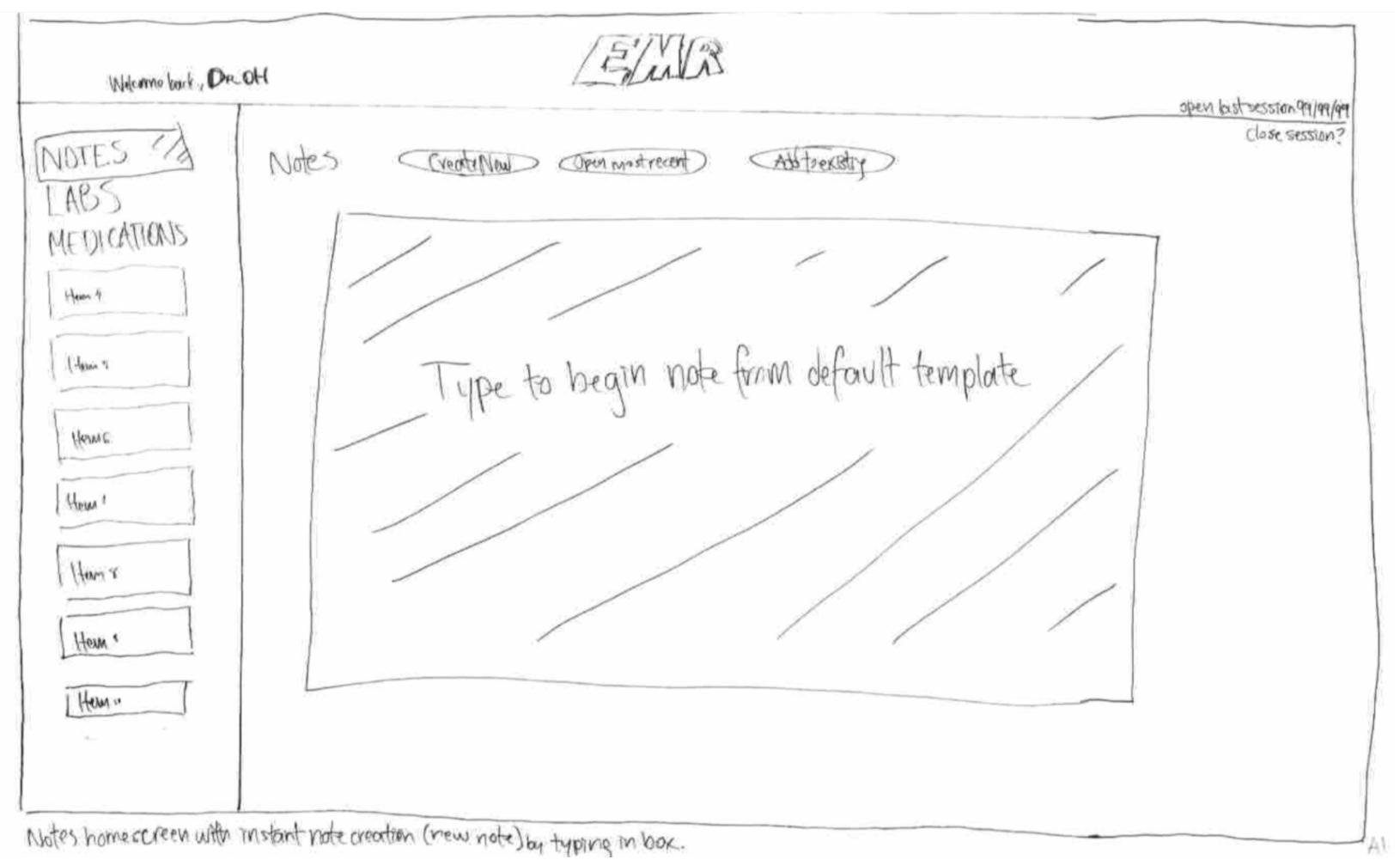
Sketch for guerilla testing: Instant Notes feature
Designs
The idea did not hold well during the first round of testing.
- It blocked the rest of the notes page, giving the impression this was the most important task when visiting a notes page.
- I seemed to have misunderstood what one physician had said, “The most important thing about being in medicine is note-writing.” The conversation itself covered how long it took to write a note, but I could have better understood that writing a note can entail reviewing older notes first.
- “Note-writing” may encompass actions ranging from adding onto another note, referencing, and perhaps much more that I did not think to look into.
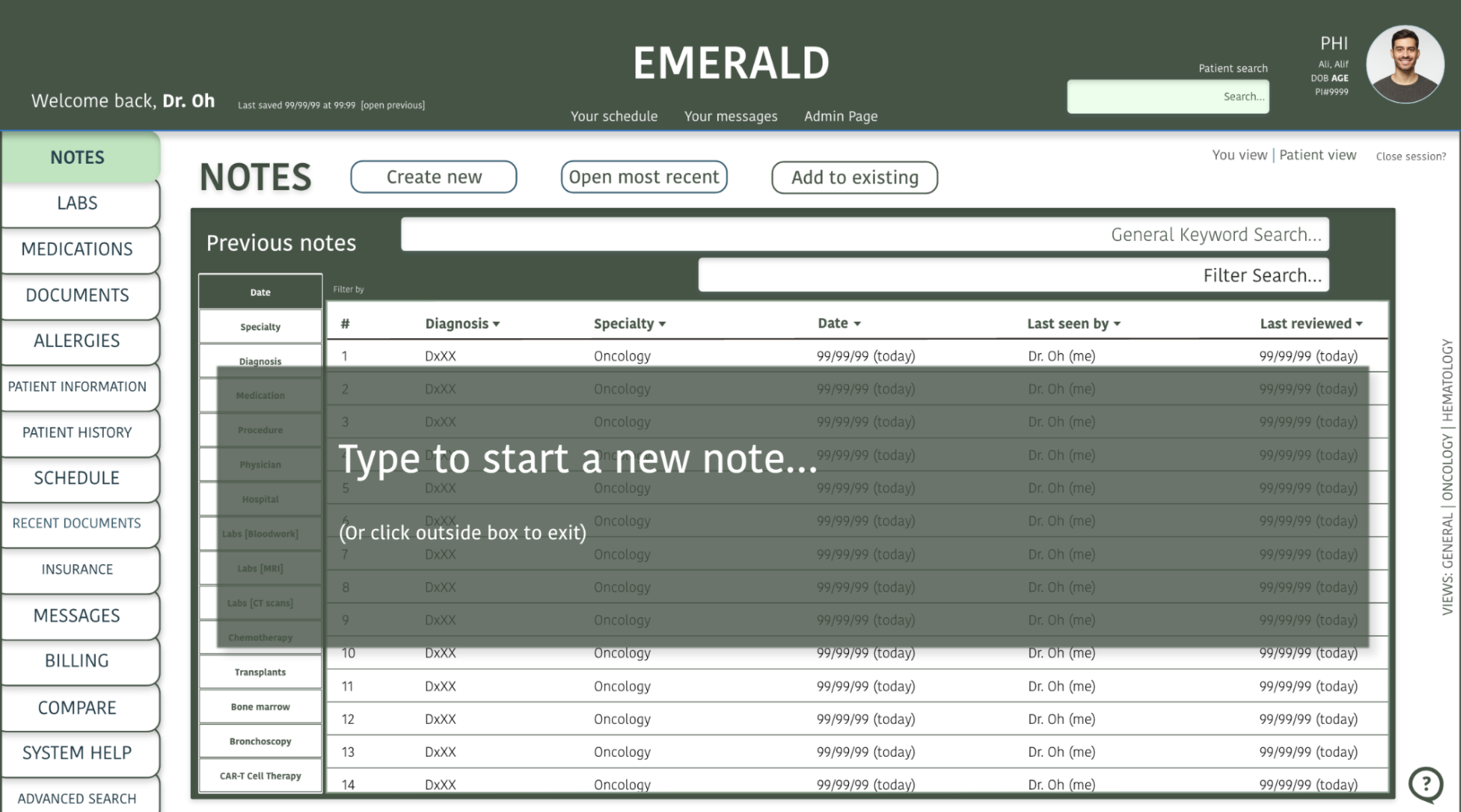
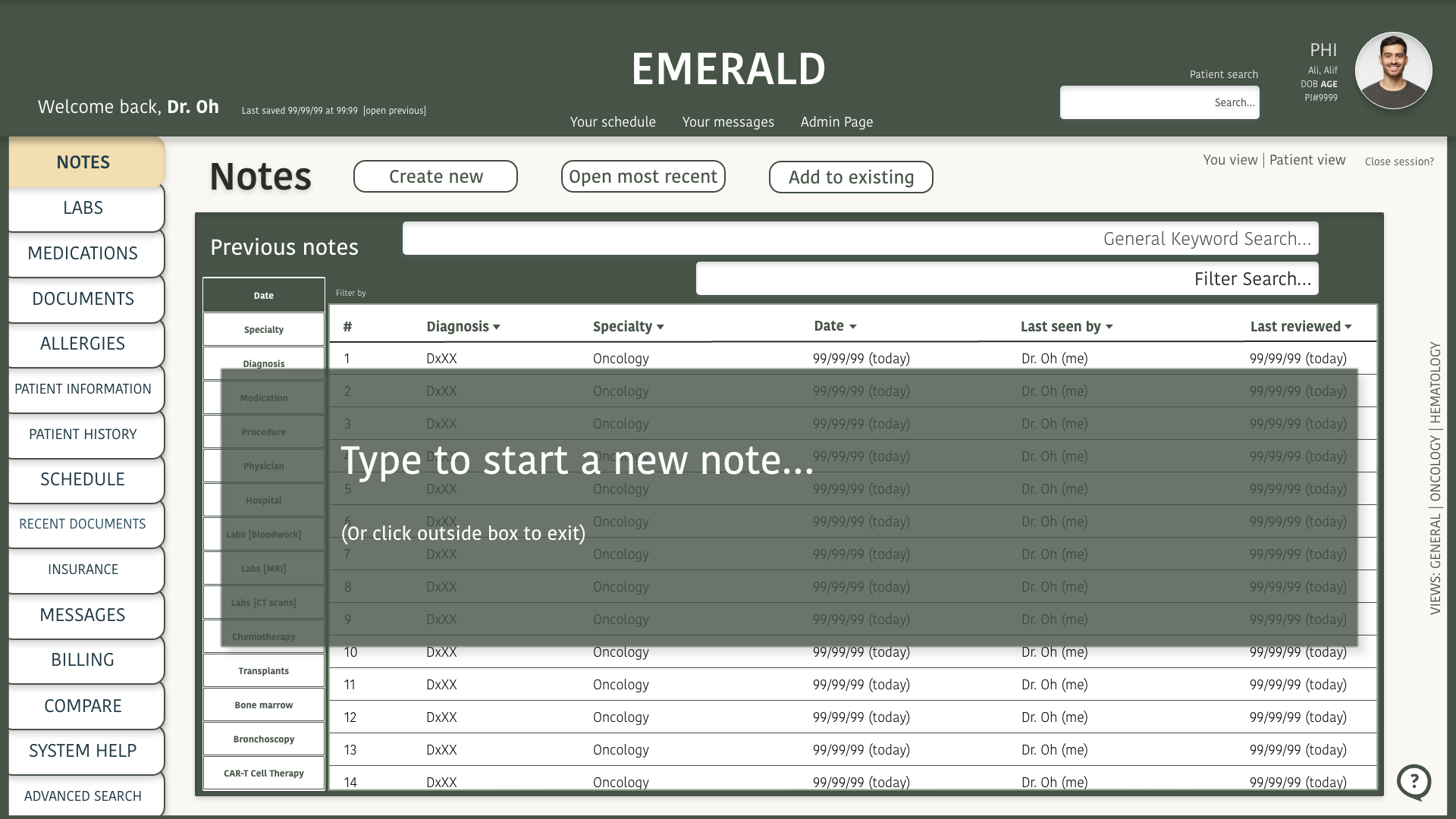
“Instant Note” feature iteration
Below:
1) Wireframe of the Instant Note feature
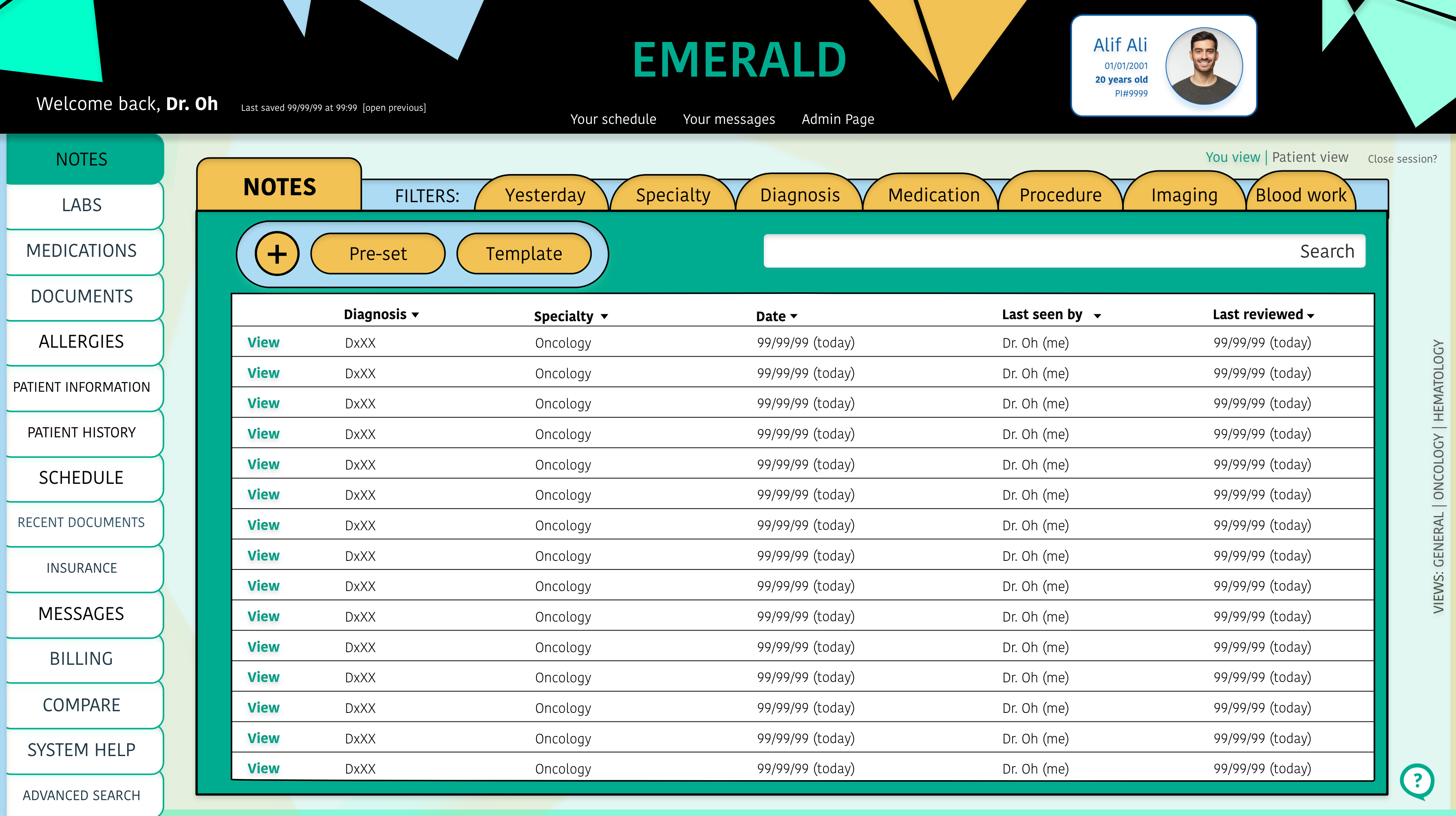
2) First Design of the Instant Note feature
The first design interface was also considered “boring.” It was intuitive enough, but improving the color scheme couldn’t hurt.


Mid-fidelity
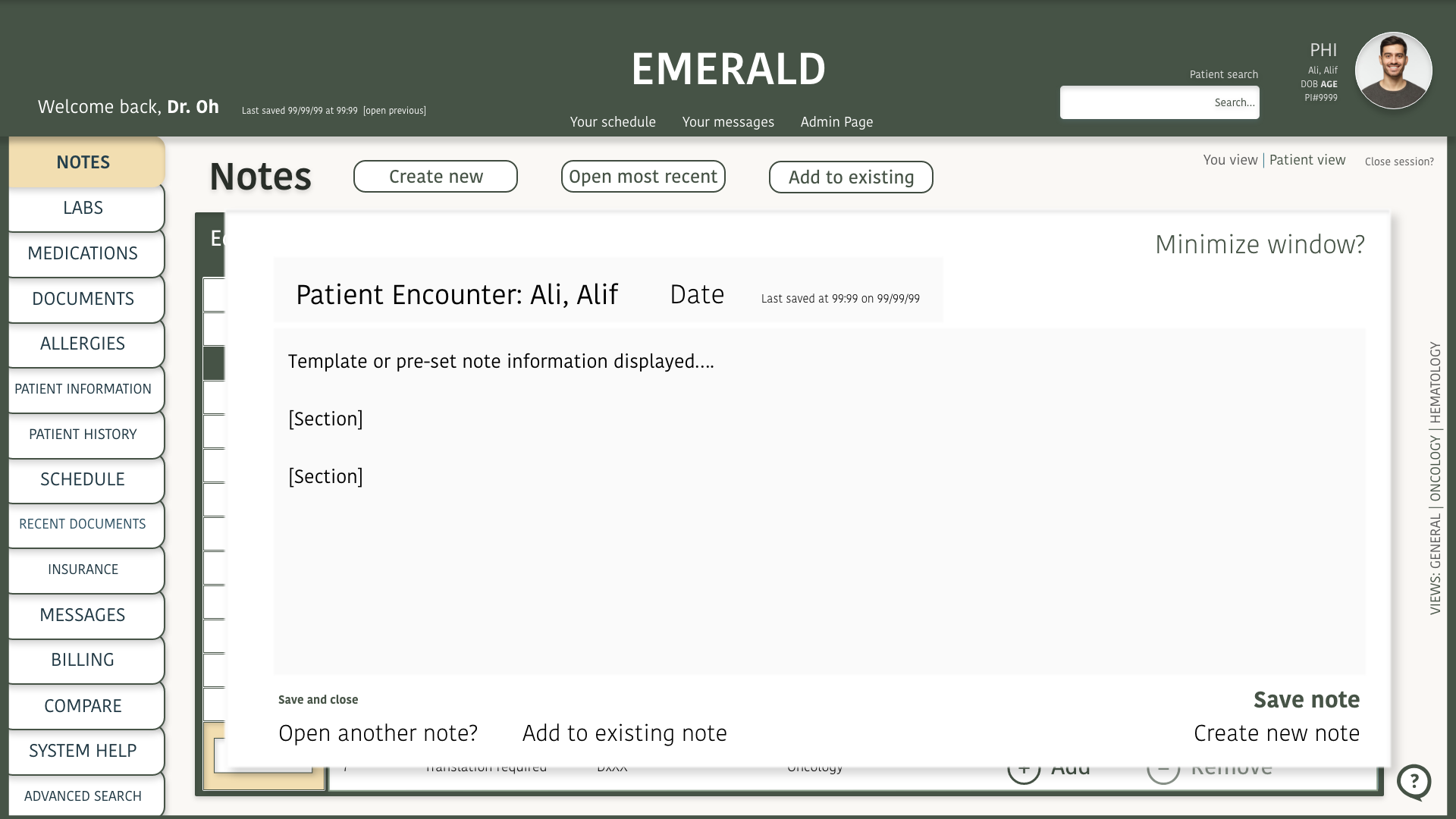
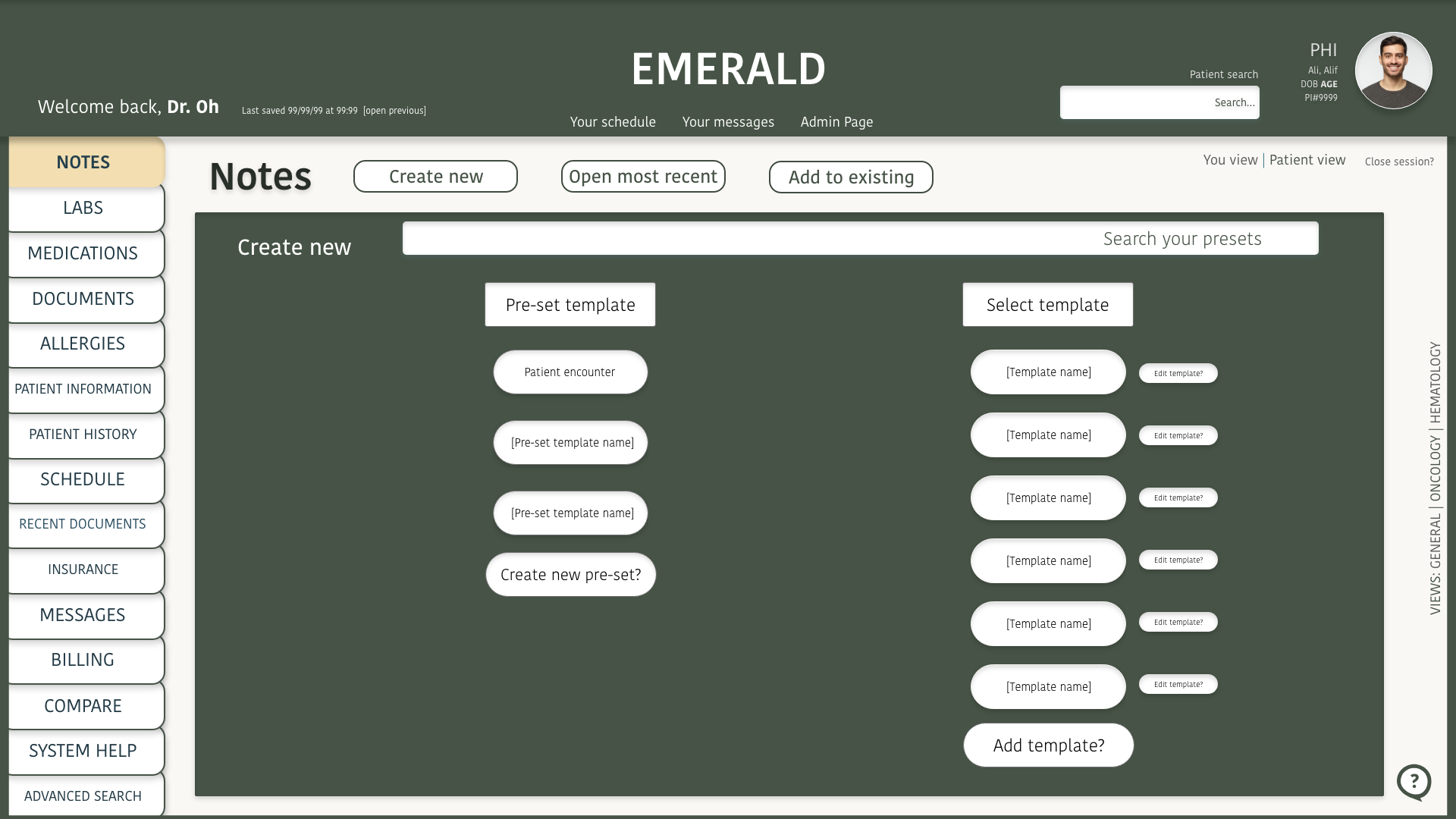
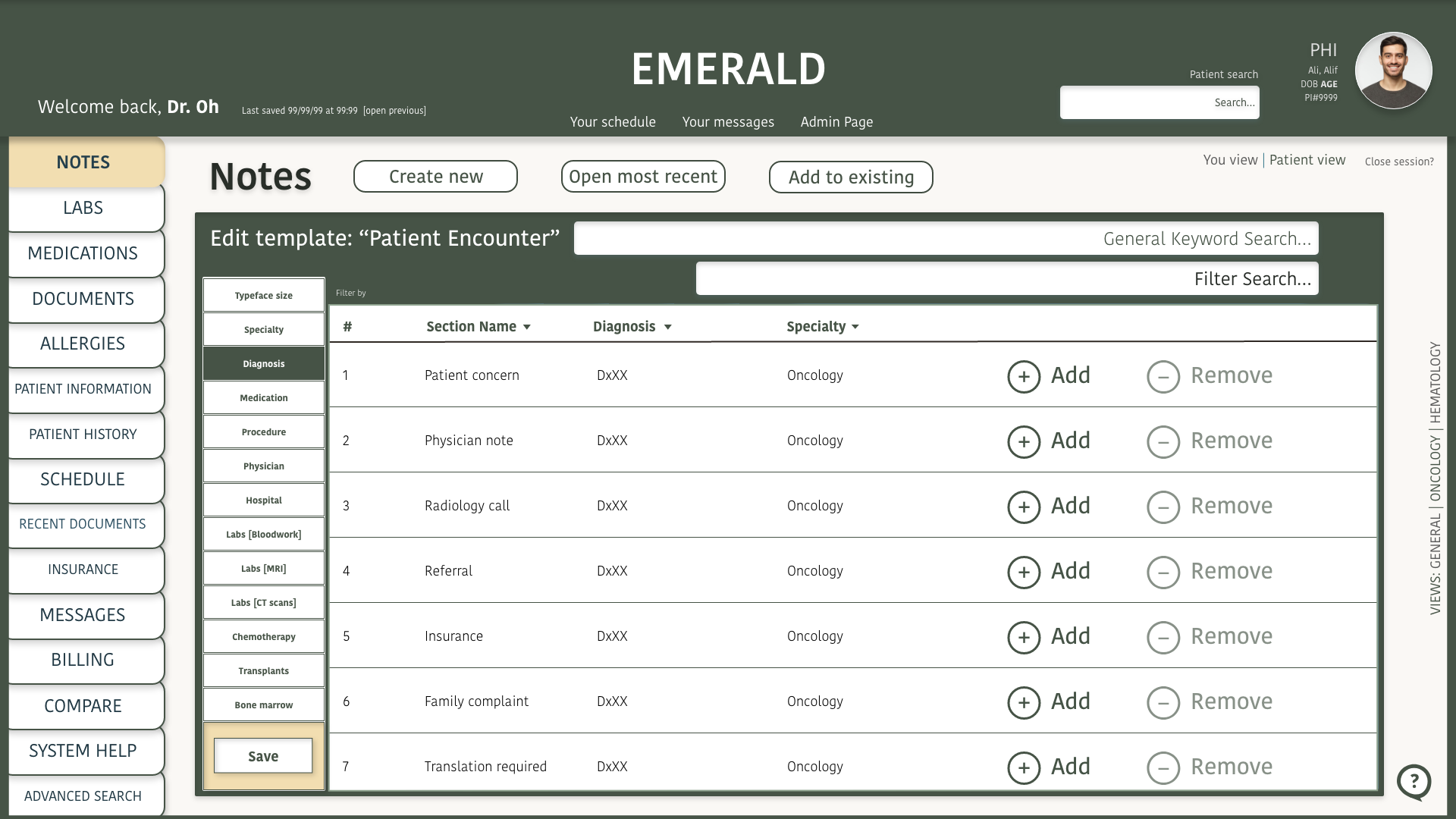
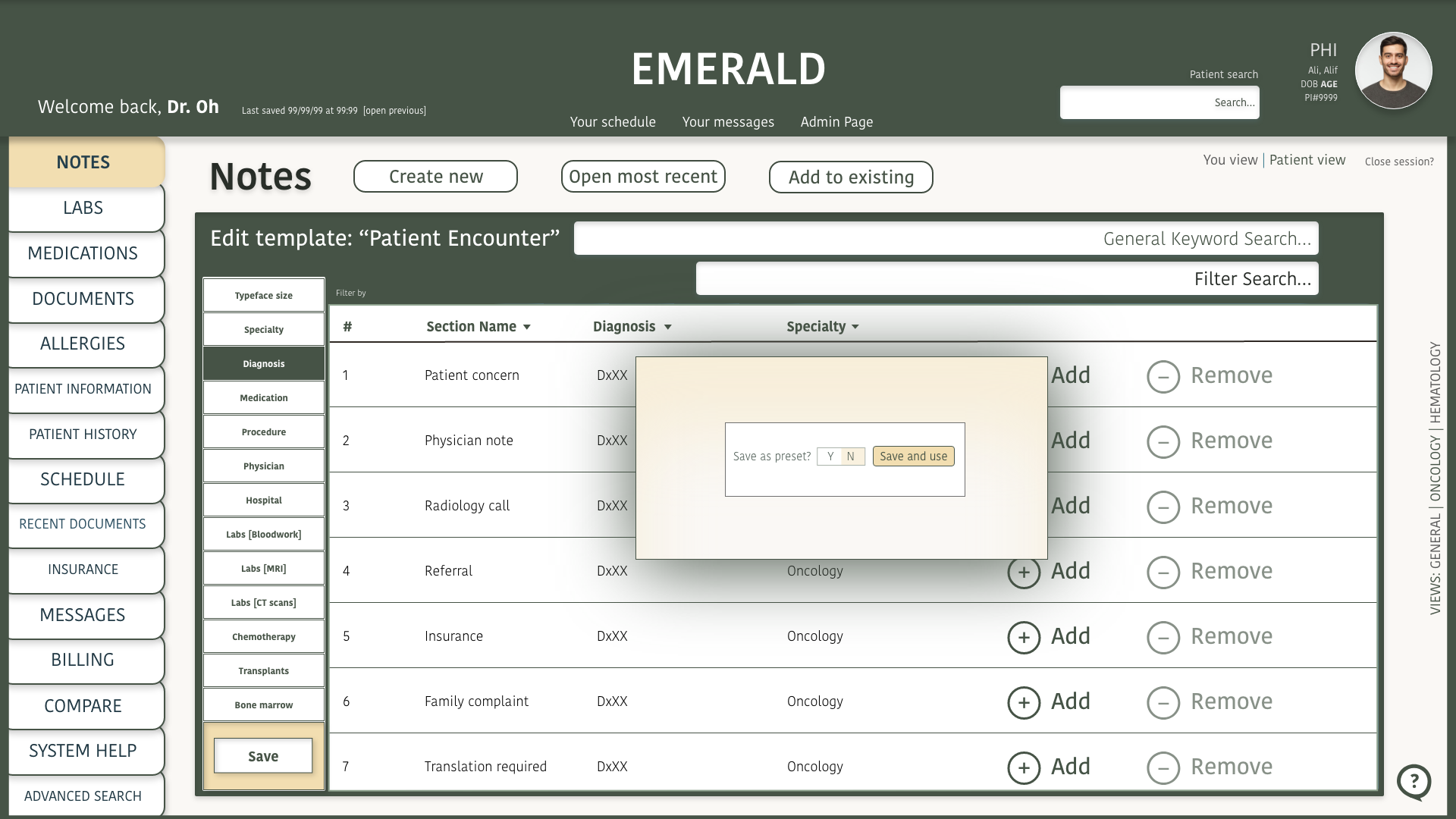
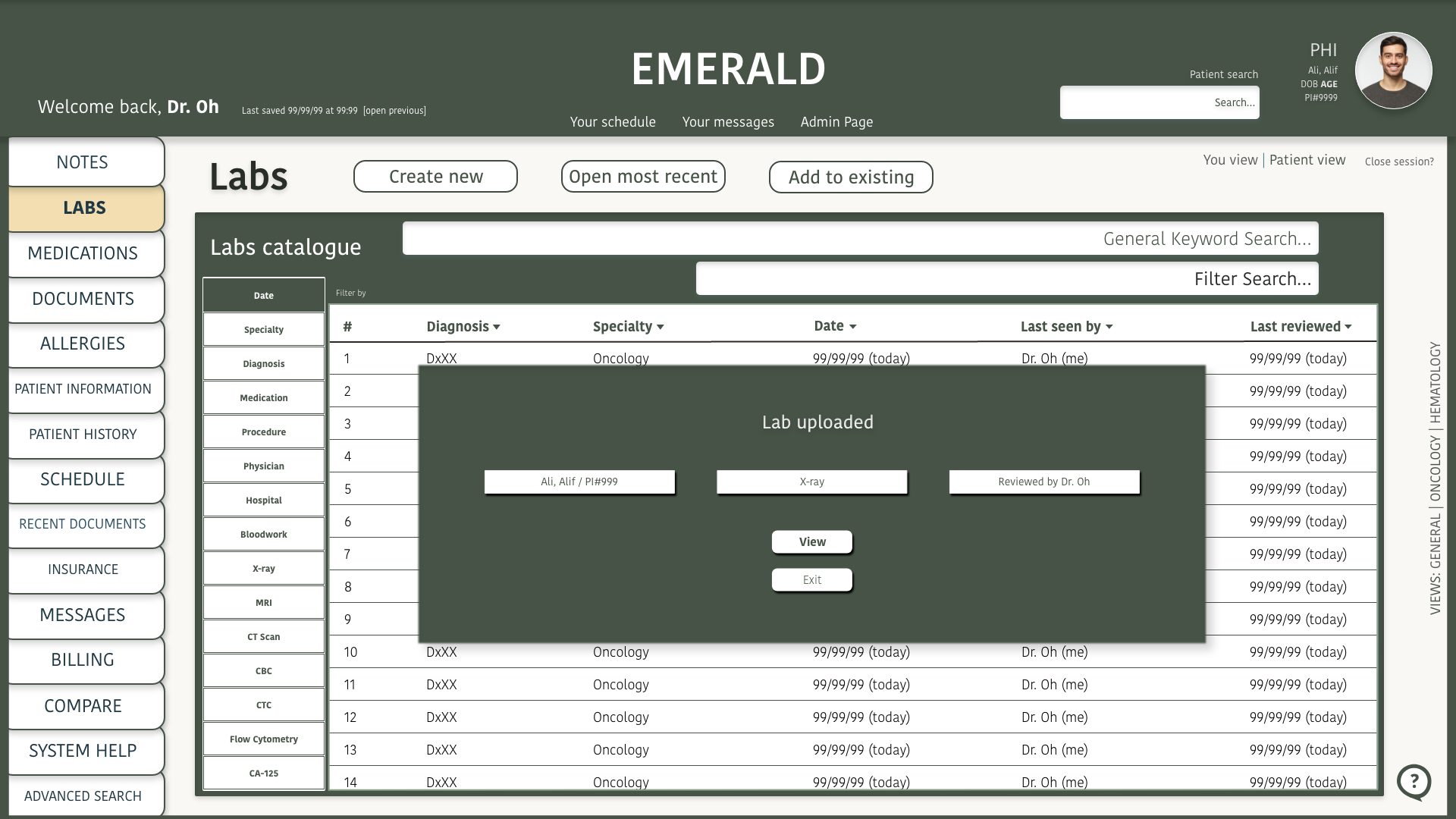
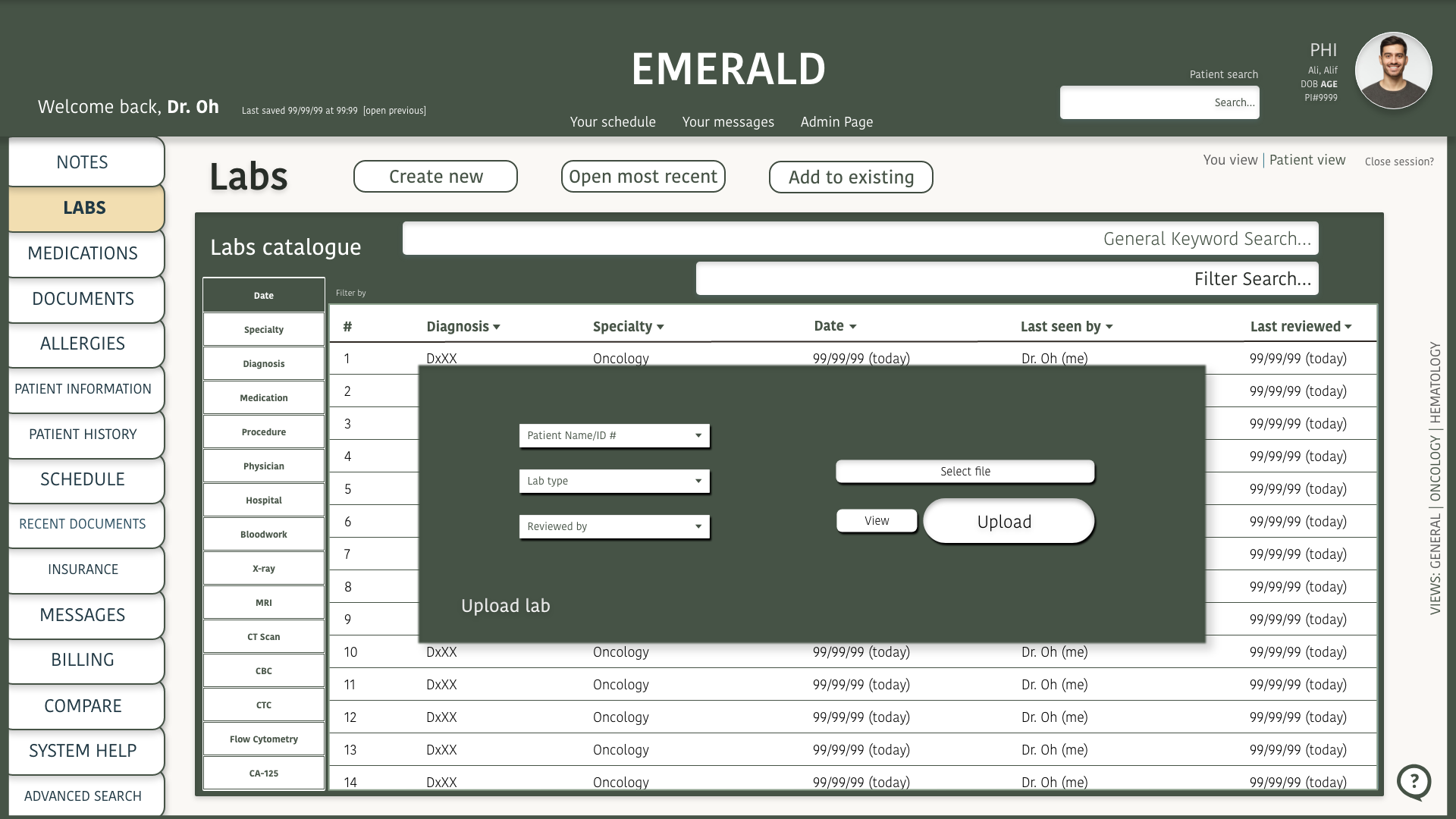
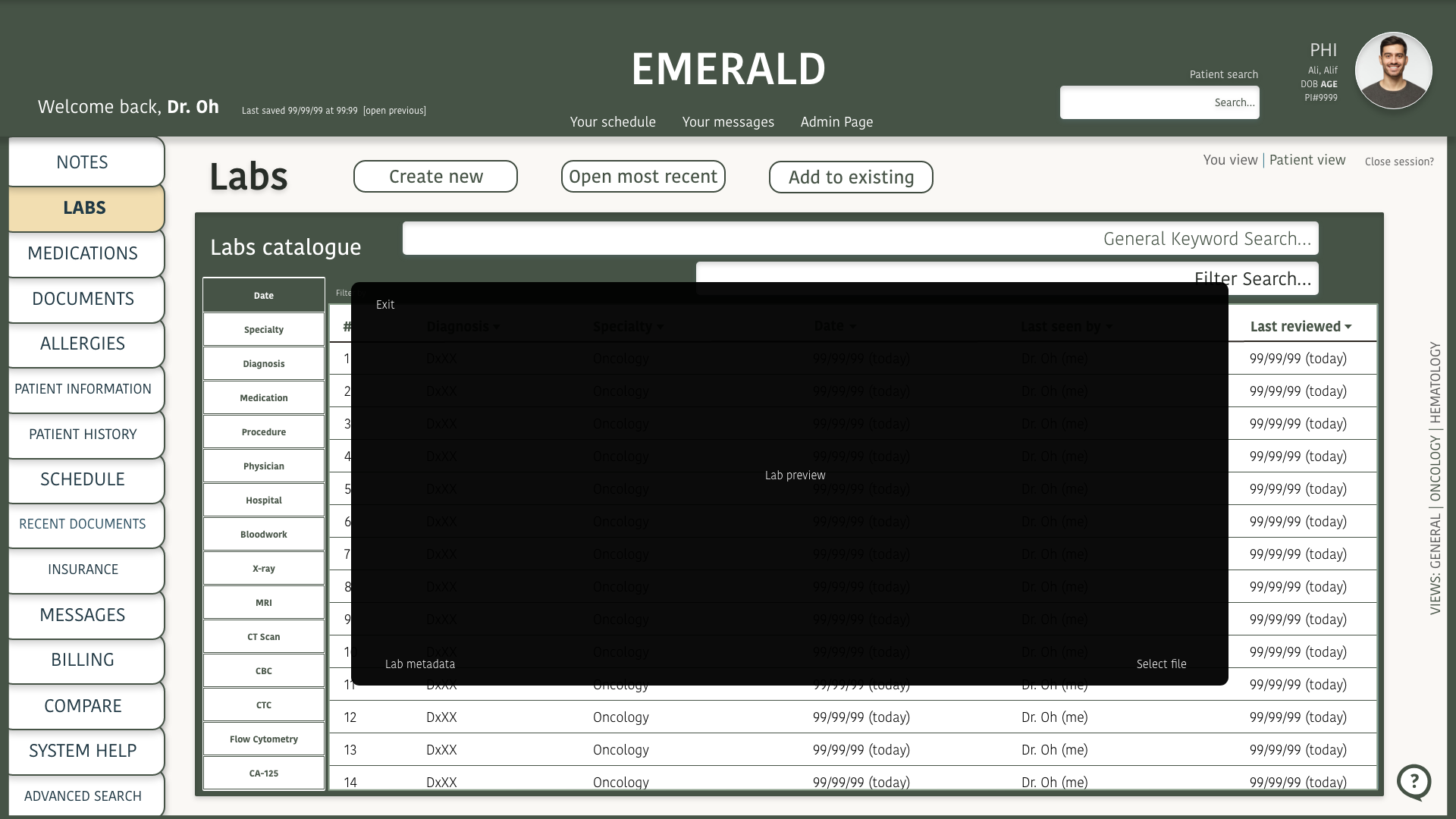
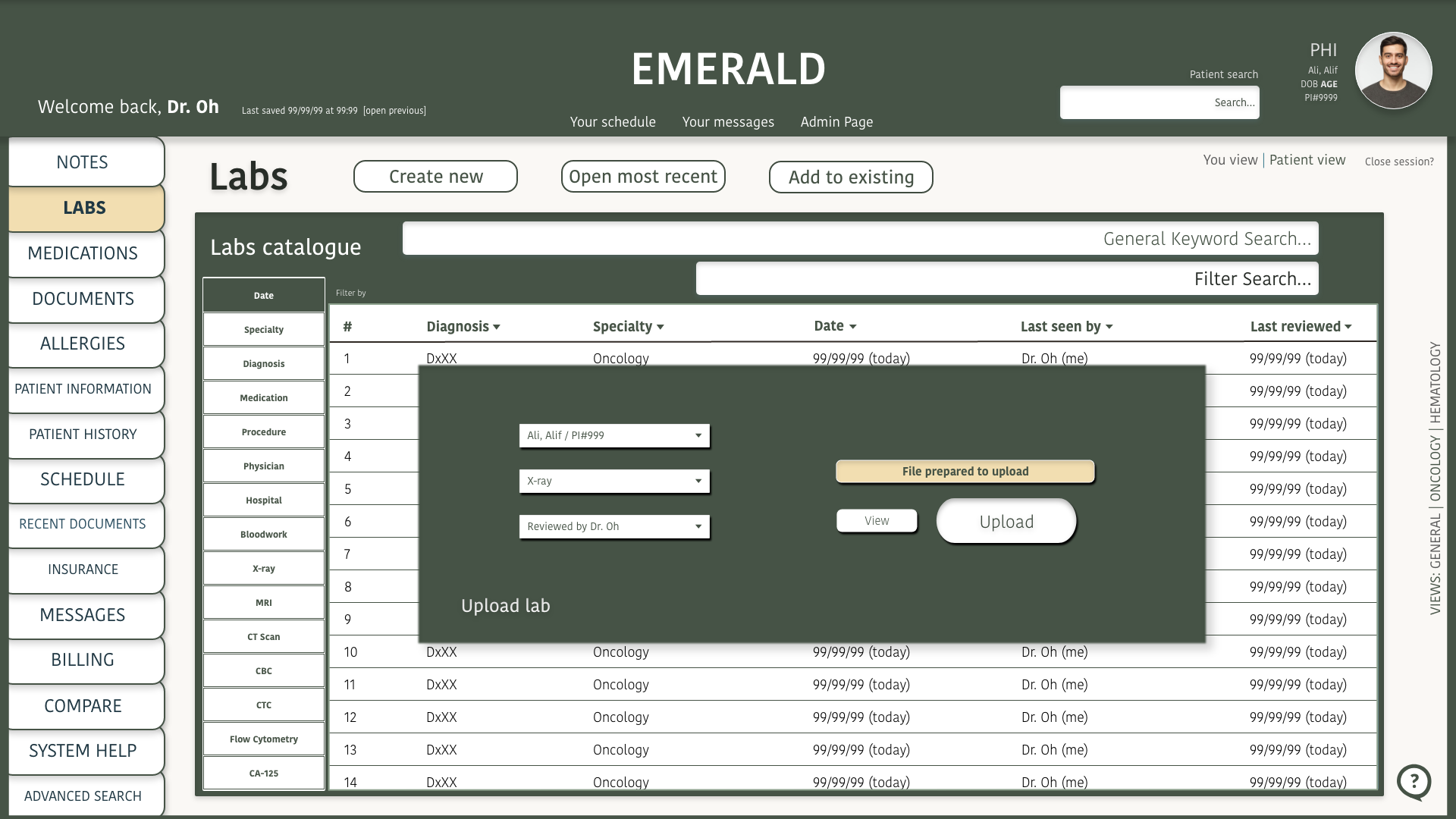
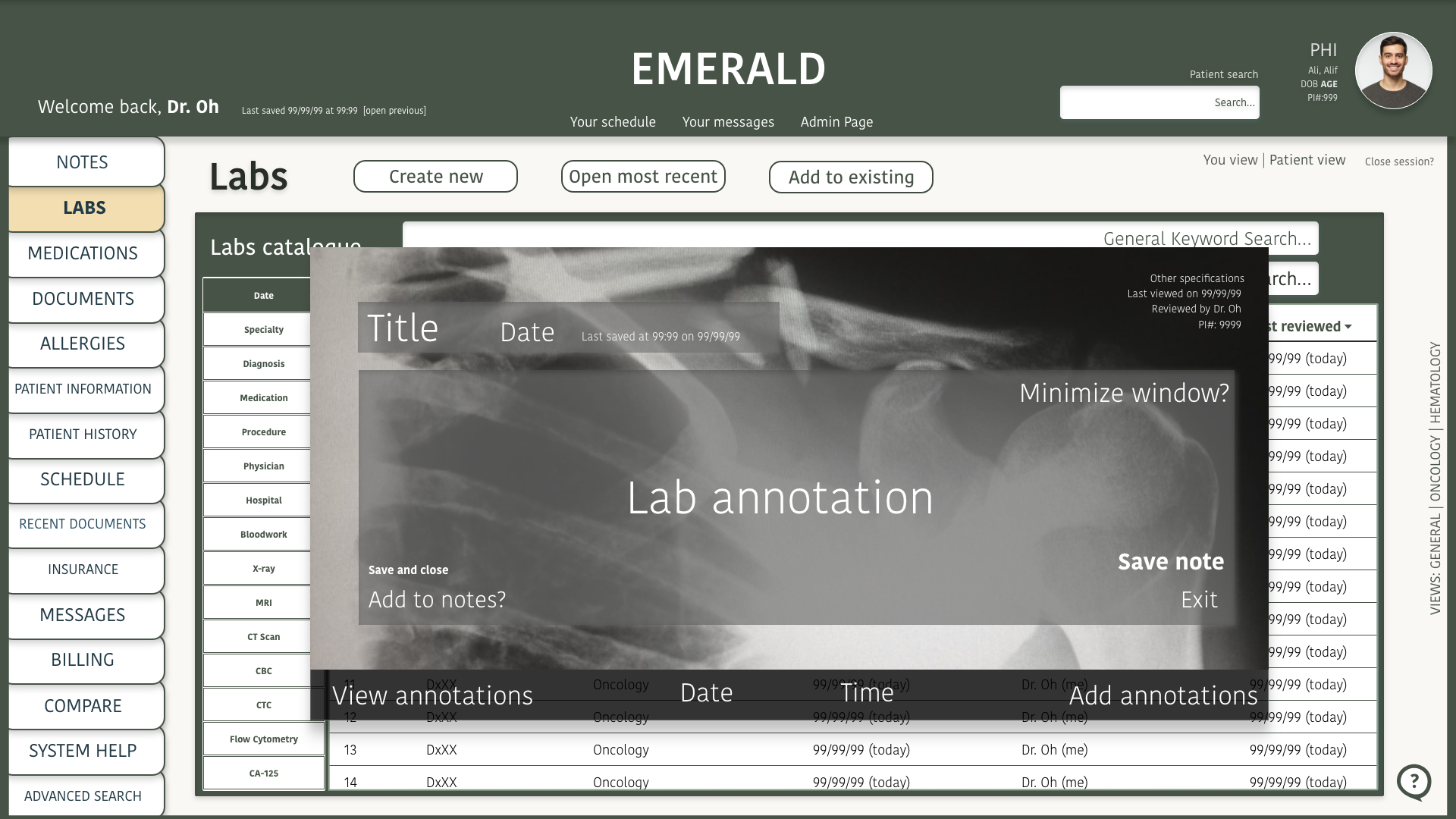
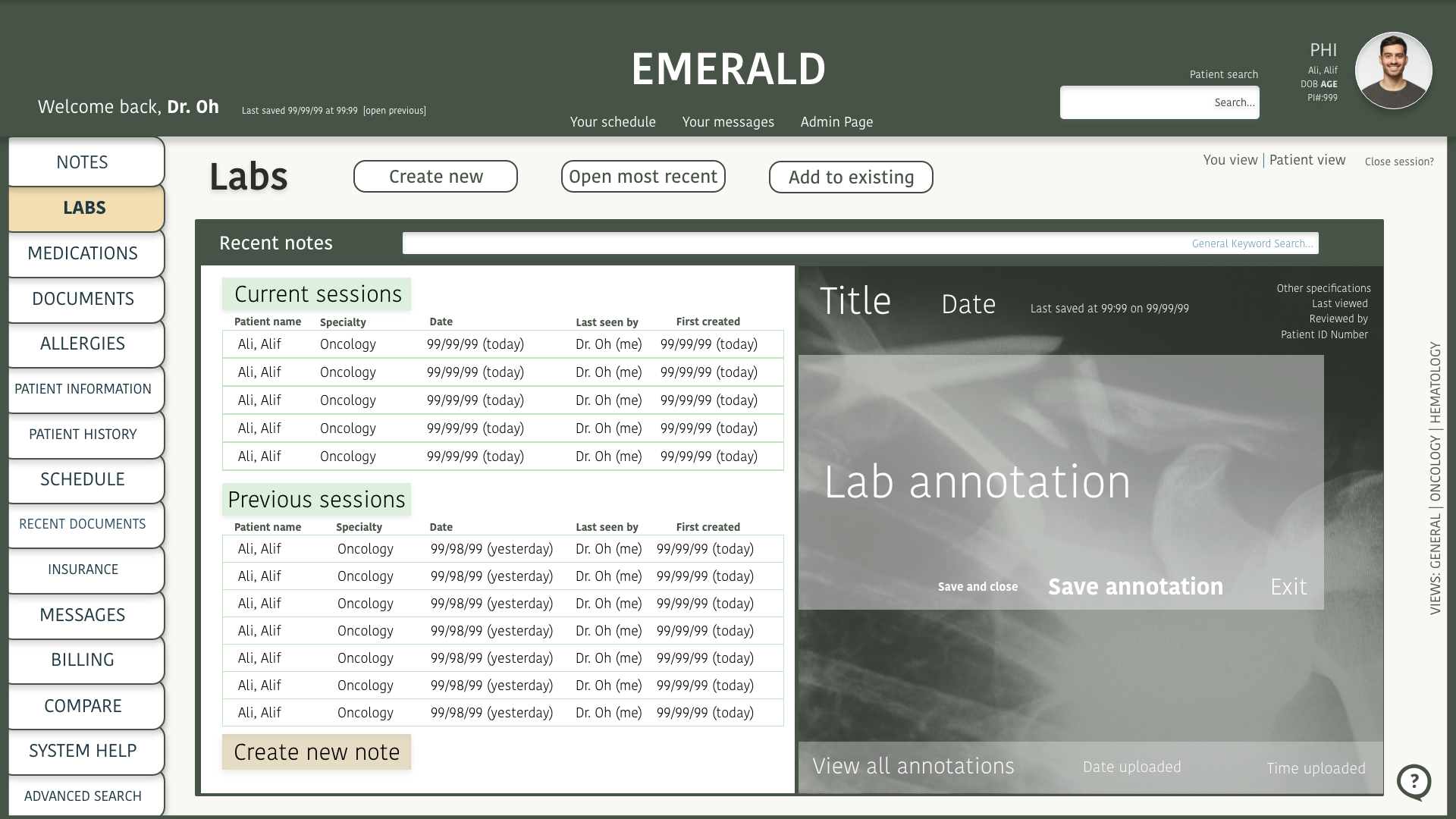
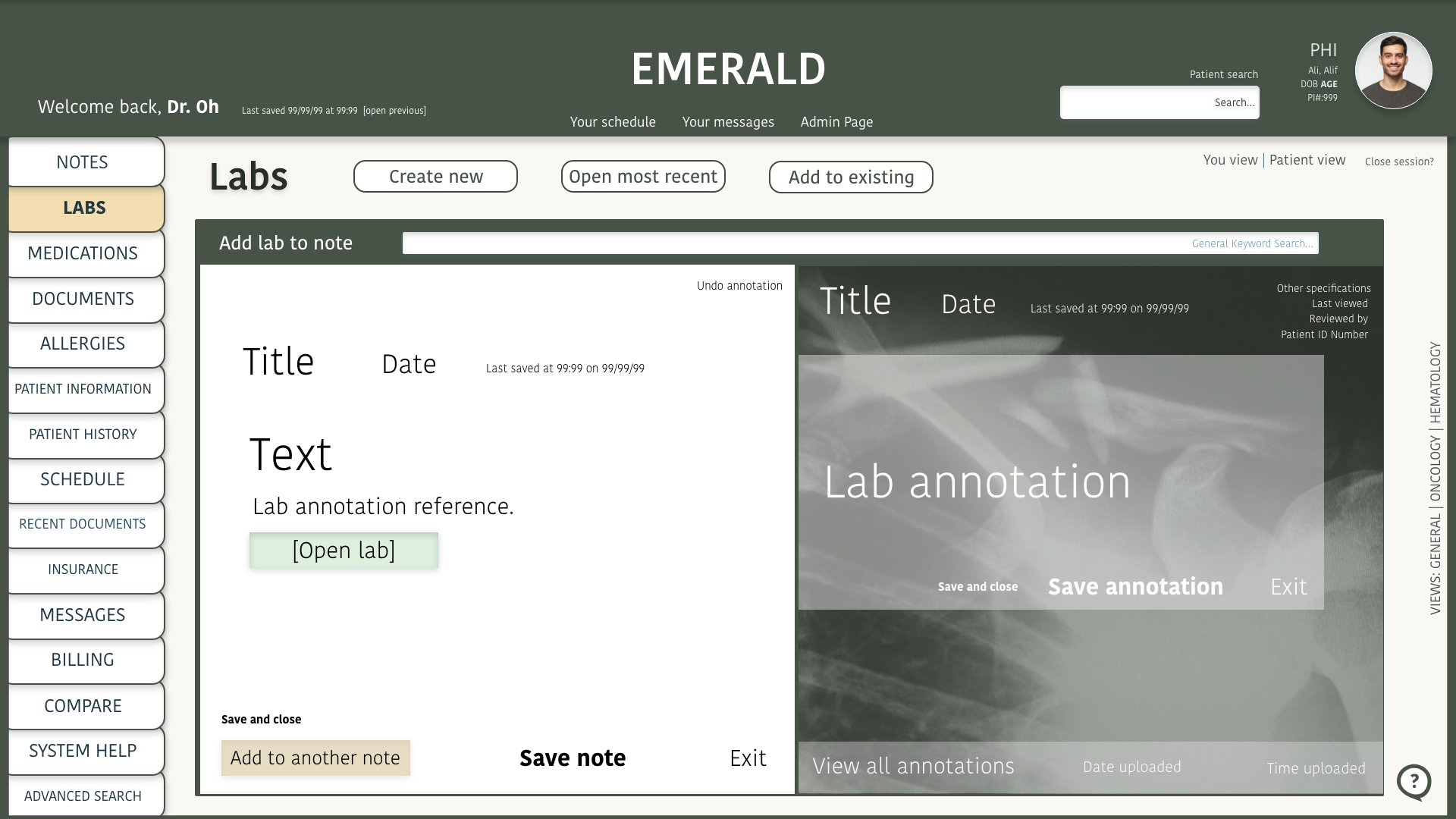
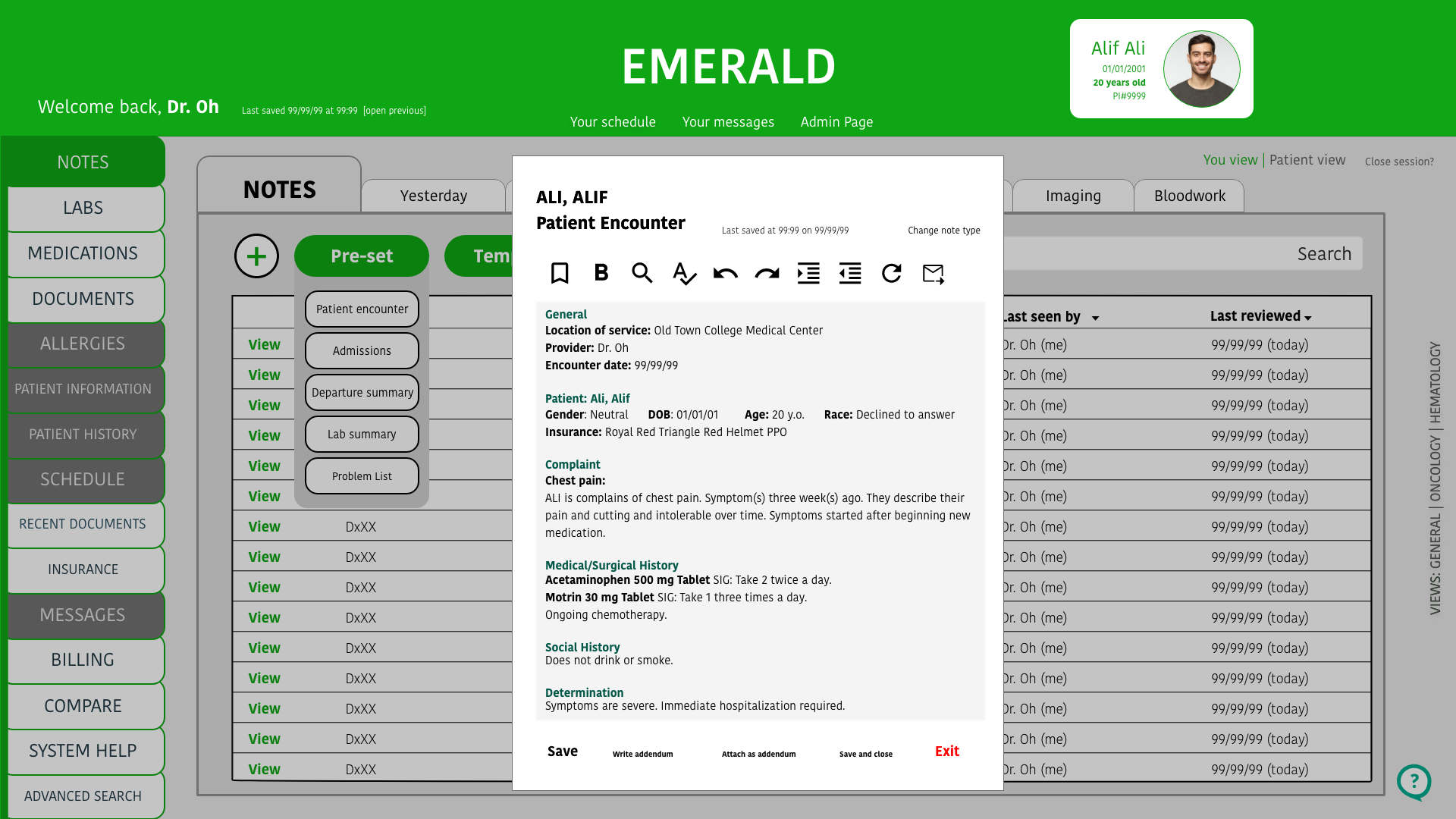
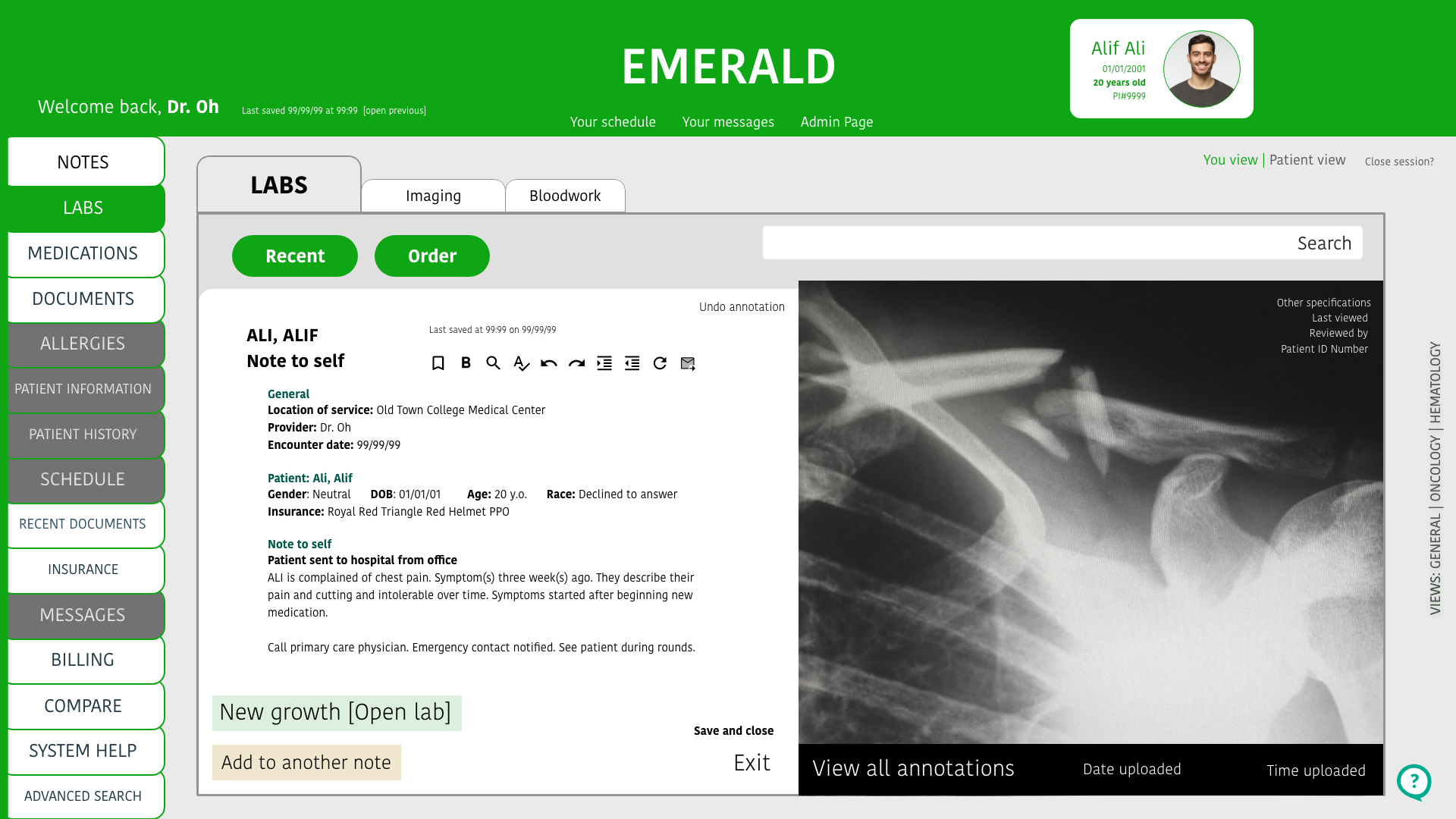
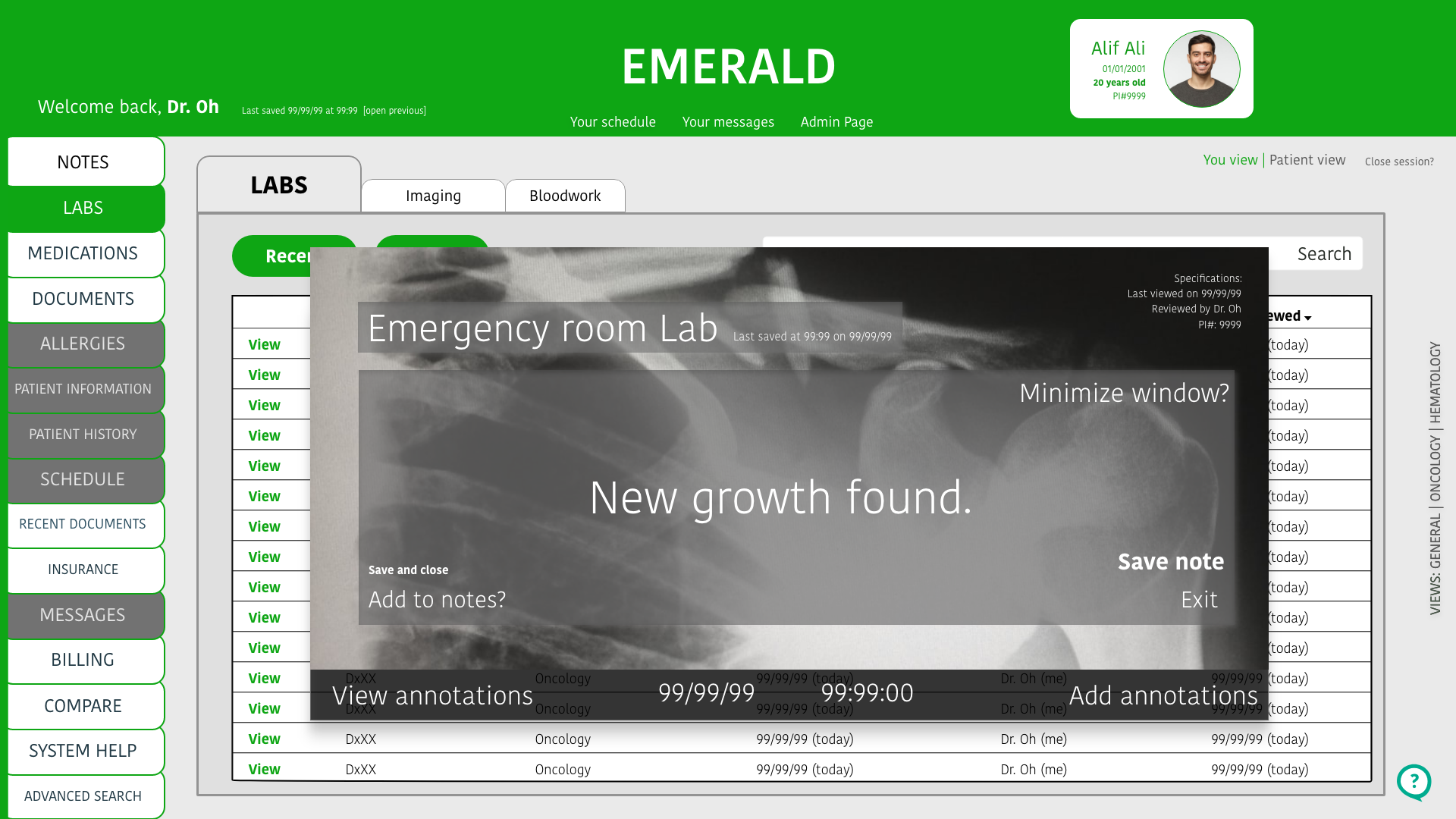
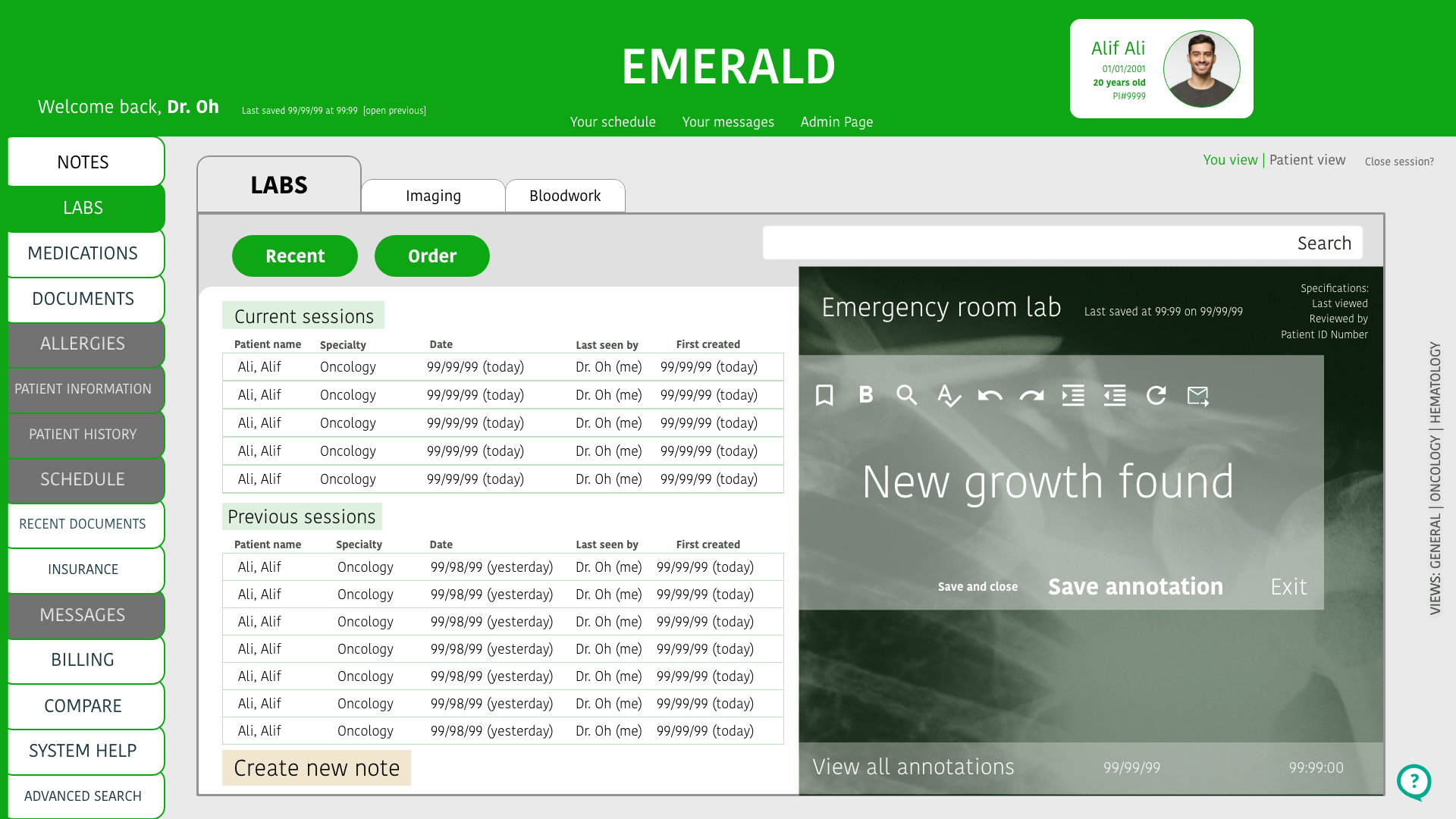
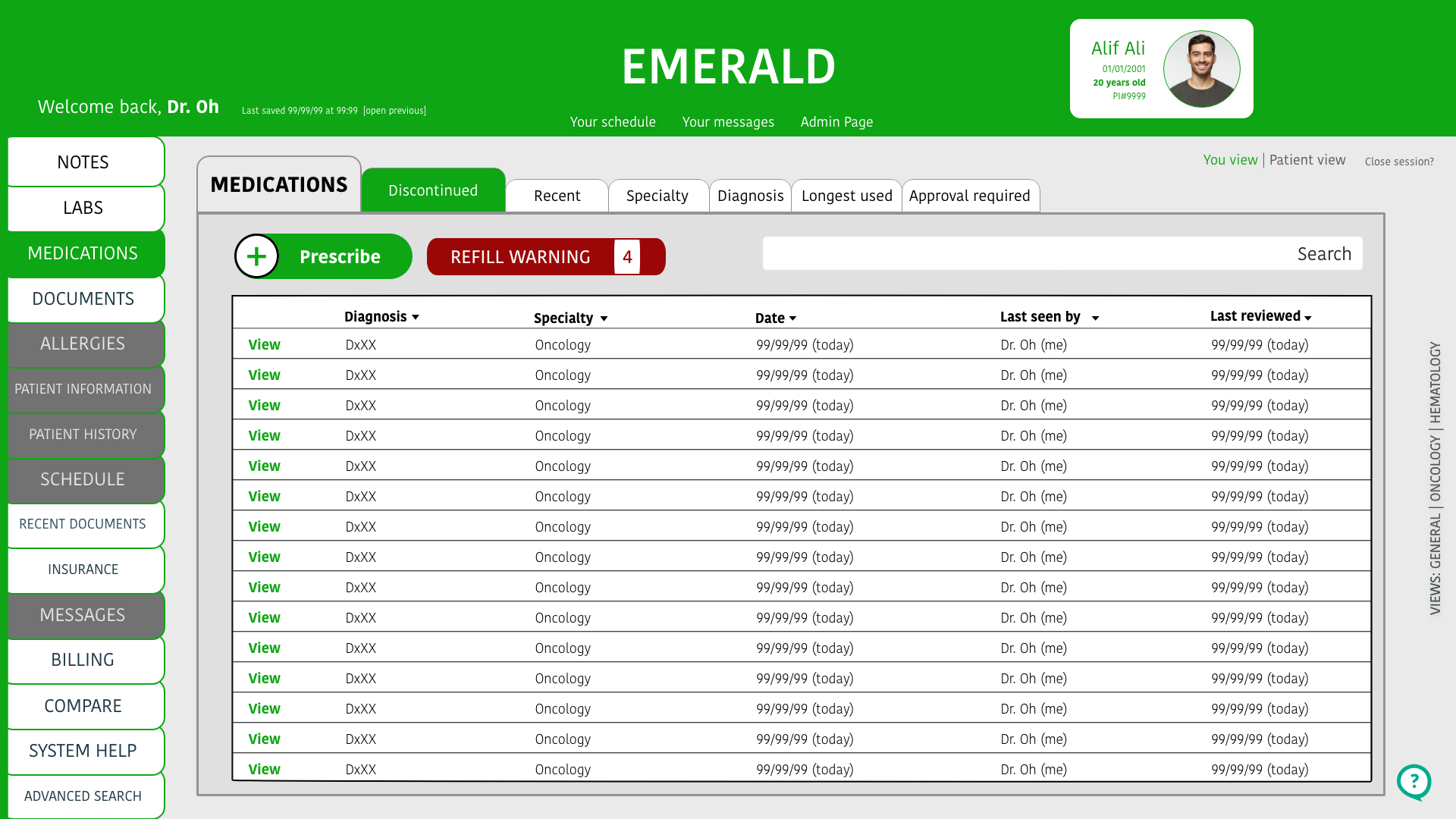
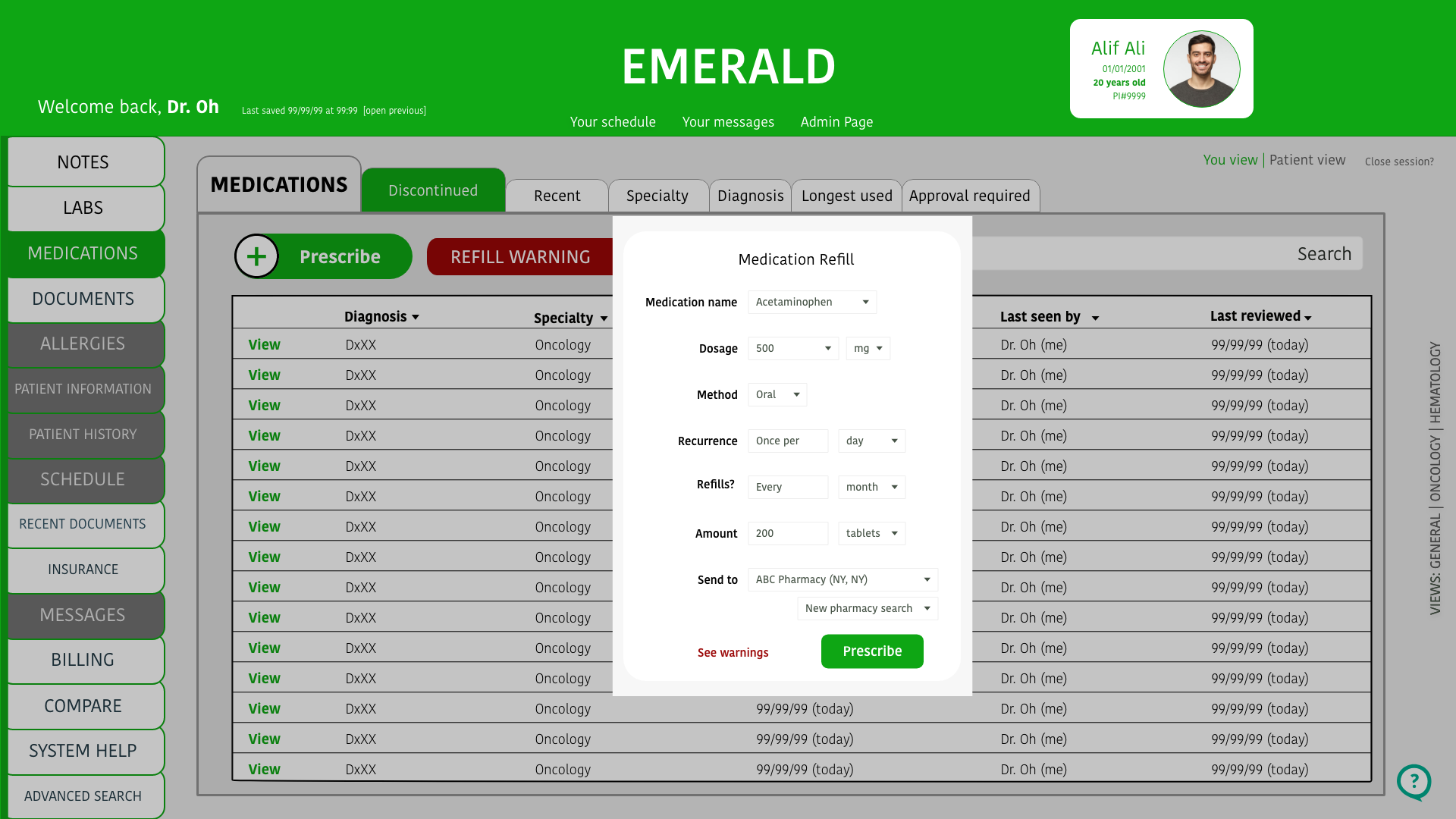
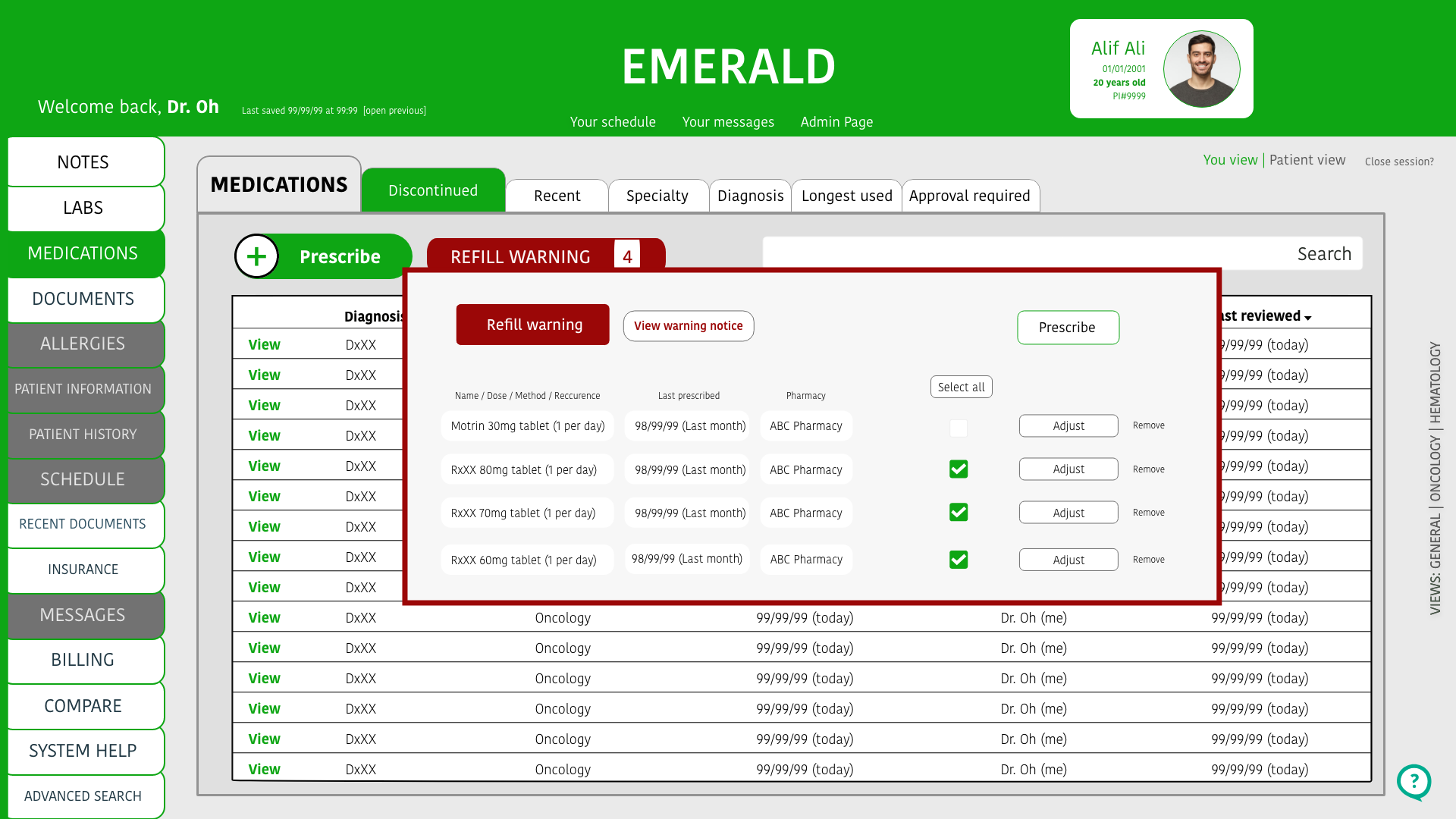
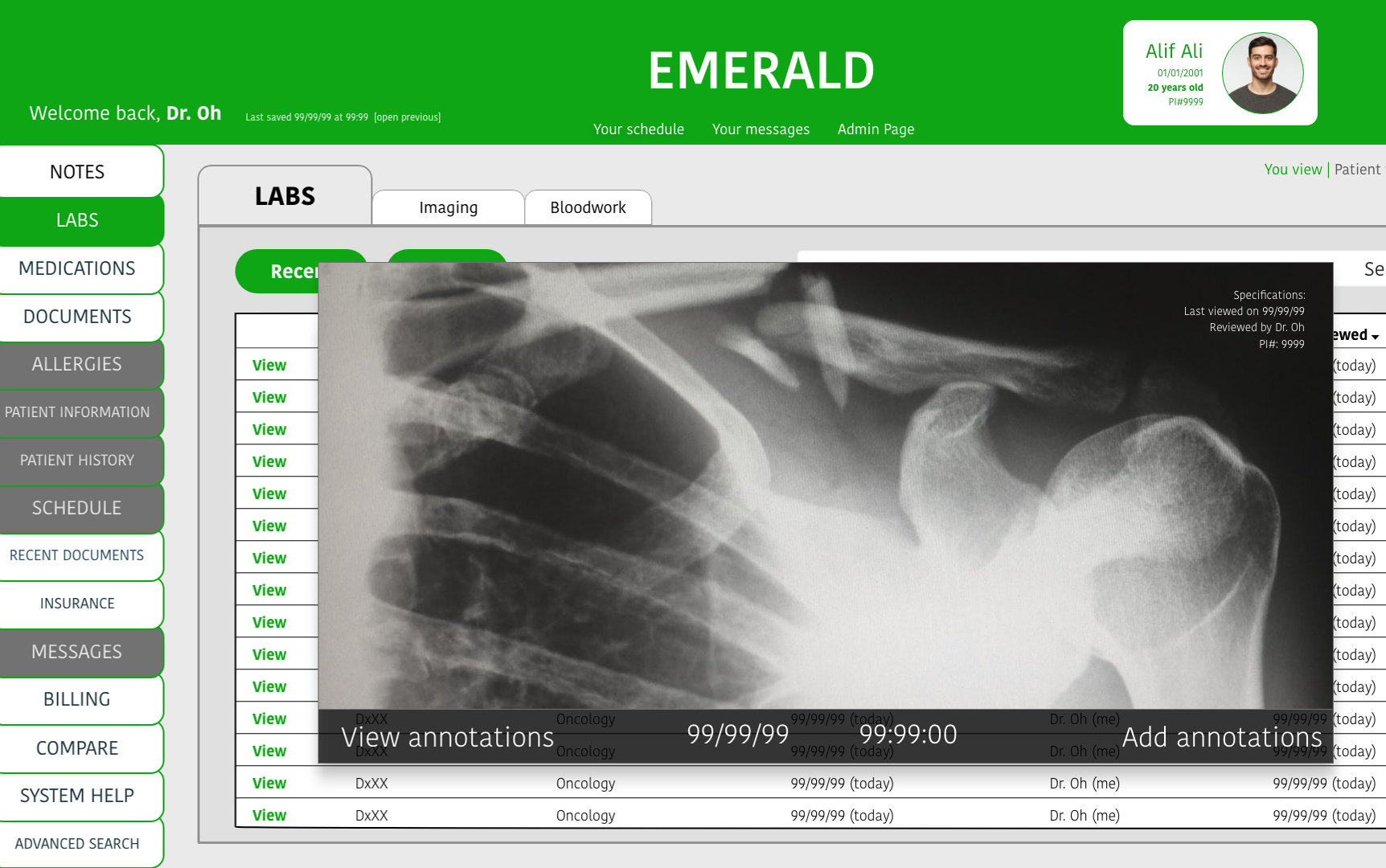
A few screens of the mid-fidelity below show an overview of the labs and notes flow:


High Fidelity
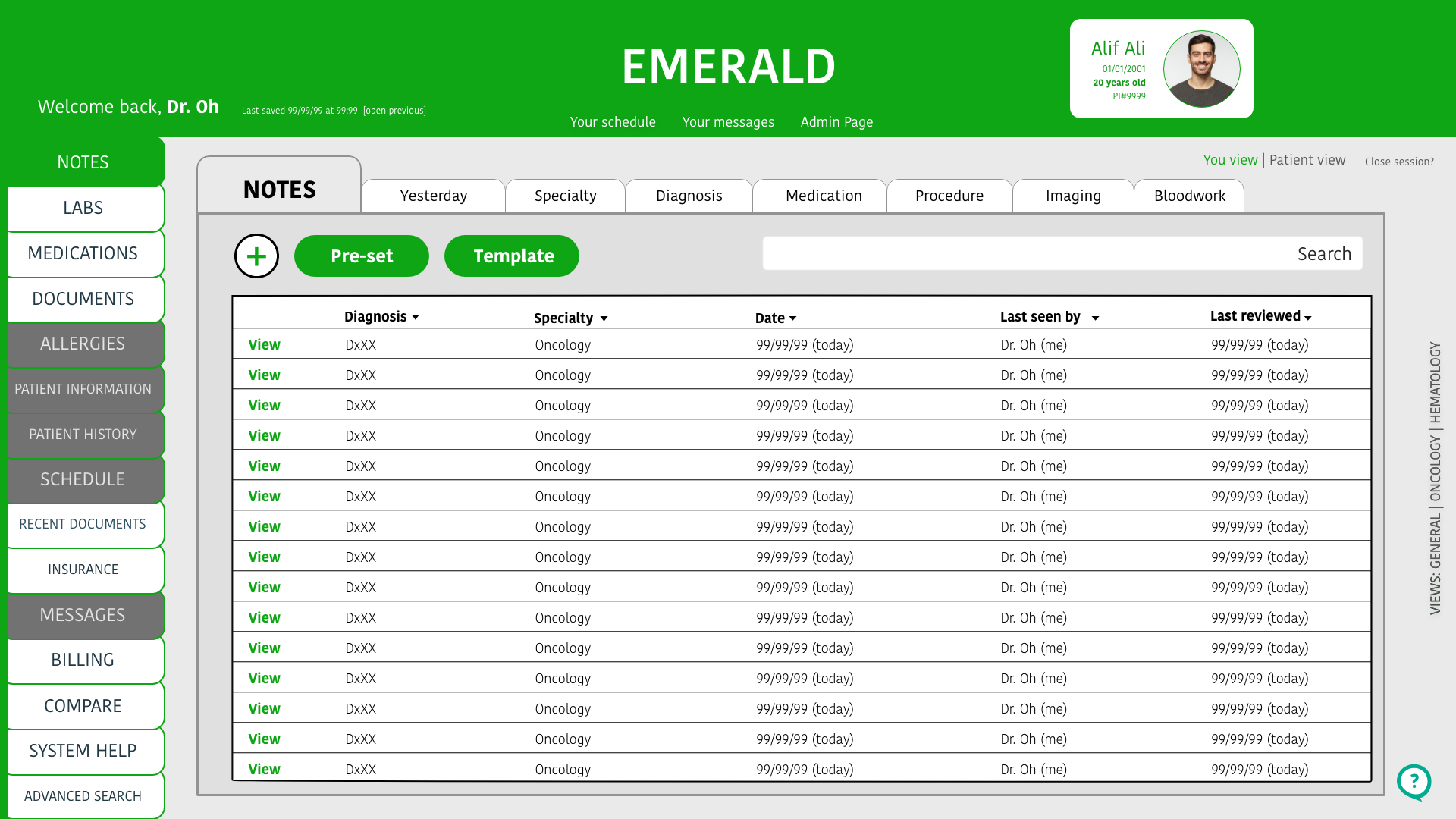
In my final iteration, I removed the feature.
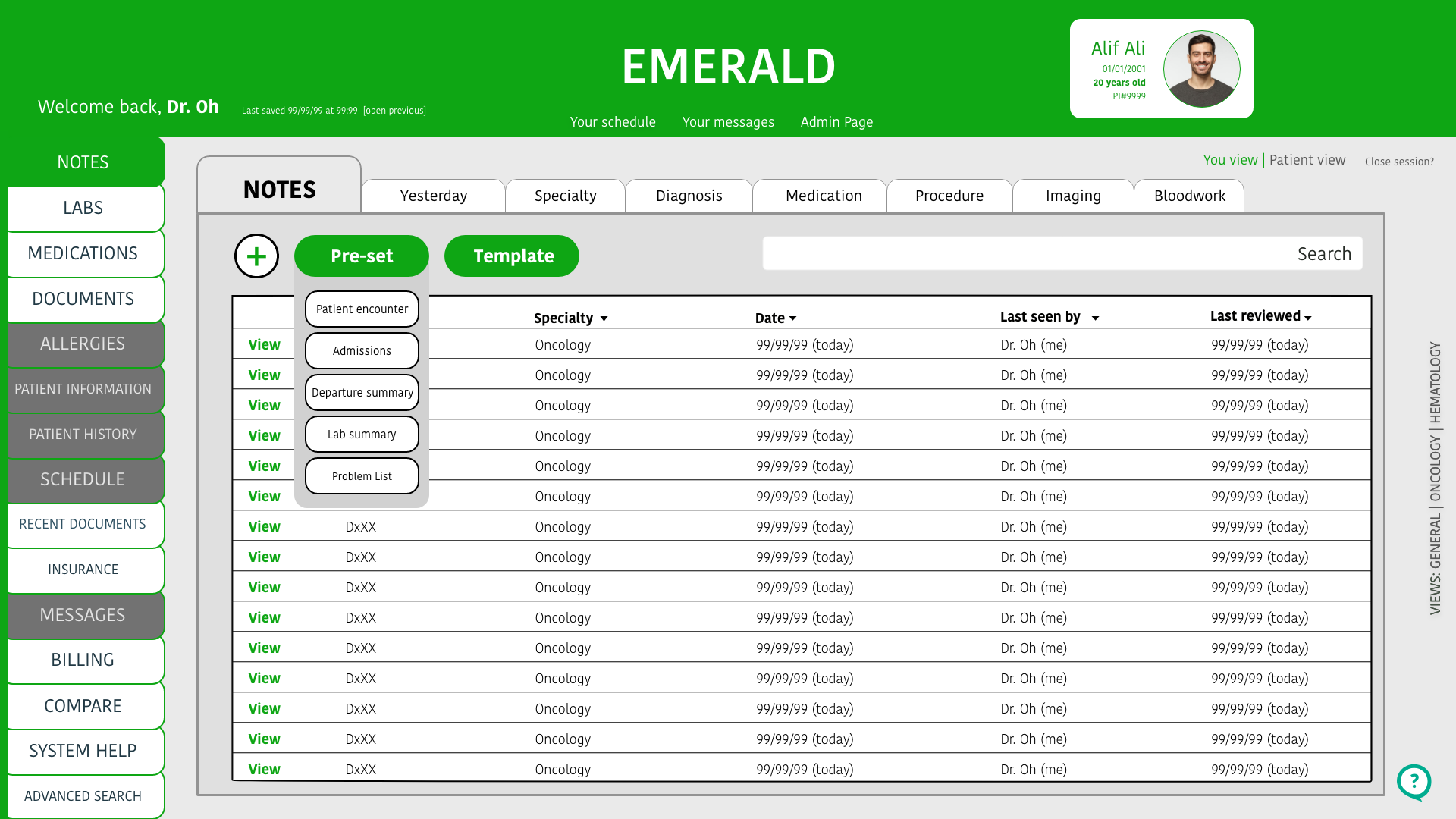
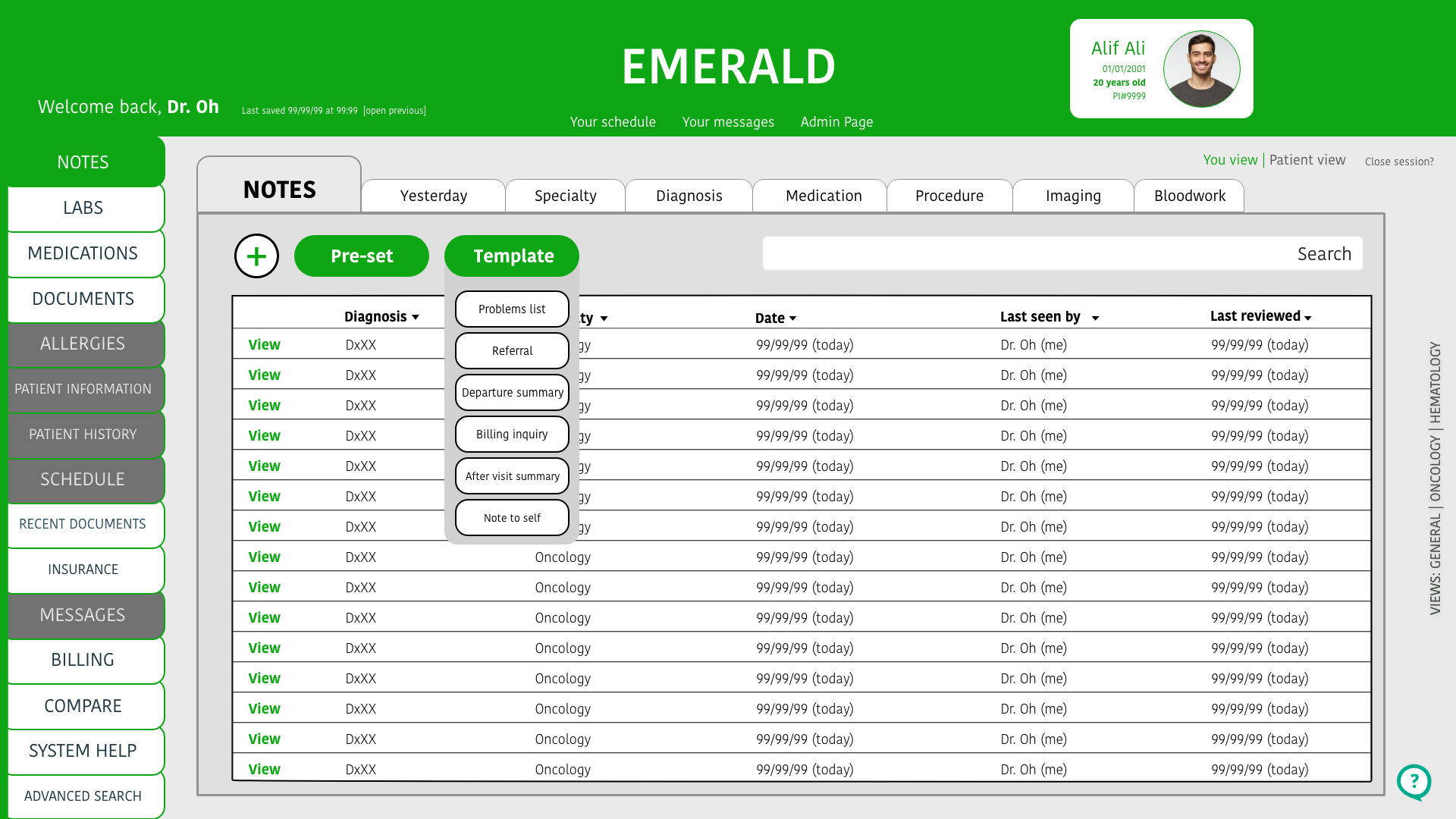
A different idea for making the note writing experience faster was to add a plus sign on the page. Clicking on this would mean adding a new note. I added the option to select a previously used customized note (pre-set) or a template from Emerald.
It was recommended to remove “pre-set” and “template” and only keep the plus sign. The plus sign is intuitive enough and made the other options – so after clicking the plus sign, a user is then prompted to choose which kind of note they want to move forward with. Users found this intuitive and it fit their demand for personalizing their notes.
Overall improvements
Medical professionals who tested the EMR found two key improvements in this prototype than in their current systems. The note writing feature and the interface was considered more intuitive and fun to use.


“I don’t know how they never thought of this.”
-Hospitalist at St. Francis, The Heart Hospital
Lessons learned
This process taught me how essential heuristic analysis is. I should have put more thought into how hard it is to migrate from one platform to another. Taking influence from popular EMRs and focus on improving the process as it is rather than revolutionizing the concepts used by EMRs would have saved me time and allowed for more iteration.
Work links
Wireframes:
https://xd.adobe.com/view/17bc07a0-53cf-4e98-8066-55e2c24e9cac-42ef/
First iteration:
https://xd.adobe.com/view/e88bc5b1-4453-4e68-9686-080be0029c6a-bdd8/?fullscreen&hints=off
Second [Final] iteration:
https://xd.adobe.com/view/3d6d61b1-4a80-4ed9-a4a8-a56f4c20a210-683e/
Sources
“The Obama EHR Experiment” by Ralph Grams published in Journal of Medical Systems:
“Doctors: Electronic Health Records Hurting Relationship With Patients” by David Gorn published in KQED, an NPR and PBS affiliate.
“Allocation of Physician Time in Ambulatory Practice: A Time and Motion Study in 4 Specialties” by Christine Sinsky MD published in the Annals of Internal Medicine
“Electronic health records contributing to physician burnout” by Roger Collier, published in the Canadian Medical Association Journal
“Death By 1,000 Clicks: Where Electronic Health Records Went Wrong” by Fred Schulte and Erika Fry, Fortune published by the Kaiser Family Foundation
“Federal judge dismisses disability lawsuit against Epic” by Jessica Kim Cohen published in Modern Healthcare
“Epic Training: Accessible to Every User” news item from Johns Hopkins Hospital